Saturday, 1 December 2018

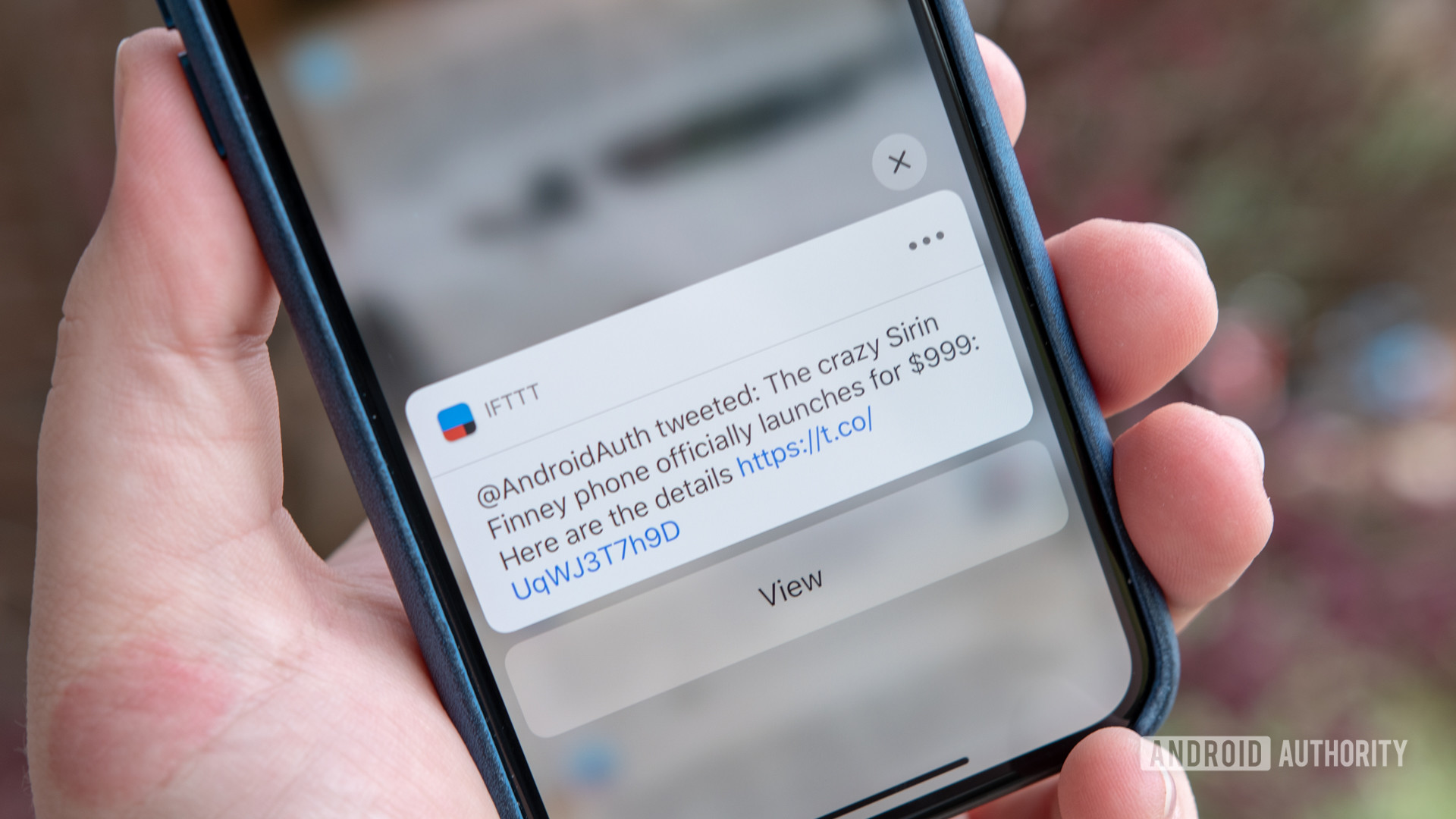
Sirin Finney hands-on: Only for the HODLers https://ift.tt/2AFDDYV


Hodl (ˈhɒdəl; verb; often written HODL): Slang for holding a cryptocurrency rather than selling it. Can also mean Hold On For Dear Life.


We’ve seen a few weird and wonderful phones this year, but the Finney is probably the most bizarre yet.

The creation of Israel-based Sirin Labs, the Finney is designed for a very specific group of people: crypto fanatics. Company reps openly admit the Finney probably won’t appeal to mainstream users, but they still see a large addressable market for it. Sirin hopes to sell over 100,000 units, which is puny compared to the Samsungs and Huaweis of the world, but a real feat for a $1,000 ultra-niche product.

Editor's Pick

I went into Sirin’s launch event with low expectations and more than a little skepticism. We saw similar lofty promises and fanciful designs before, after all. The ill-fated Saygus and Turing come to mind.

After playing with the phone and talking to Sirin executives, I still have questions, but I no longer think the Finney is vaporware. The hype is manufactured — Sirin had freaking Leo Messi talk about the benefits of decentralization — but the Finney is a real product, with a real, albeit very specific, selling point.

First, let’s talk about the Finney’s distinctive looks. The phone’s a massive slab, with slightly concave metallic sides and tapering glass on the top and bottom. The robust proportions are meant to inspire resilience and safety, and the Finney looks like it could stop a bullet. The thickness of the device (around 9.3mm) is actually due to the secondary screen embedded on the rear, which serves as a cold storage crypto wallet.

The Finney looks like it could stop a bullet

The wallet pops up from the top of the phone, a bit like the pop-up camera on the Oppo Find X. The screen is not actuated, so you’ll need to open it manually by pushing on the smooth glass back, which is a bit hard to do. It shouldn’t be an issue, as the wallet is meant to stay closed 99.9 percent of the time — you’ll only need to open it to verify crypto transactions, which shouldn’t take more than a few seconds.

I’ll talk more about the functionality of the cold storage wallet later, but I will say that I have some doubts about the hardware. The secondary screen – which is actually touch-enabled – feels a little flimsy and tends to pick up gunk and debris. But that’s the price you’ll need to pay to have a cold storage wallet built into your smartphone.

It should go without saying, but please don’t drop your $1,000 blockchain phone in the water – the Finney is only rated IP54, probably due to the sliding mechanism on its back.

The most distinctive design element is the metallic “shield” on the back, which surrounds the camera and the fingerprint sensor. It’s an evocative touch (shield, get it?) carried over from Sirin’s previous phone, the $16,000 Solarin.

On the sides, you’ll see the fat power and volume buttons, the SIM tray, and large speaker grilles on both sides of the device.

I get the message Sirin wanted to convey, but a smartphone needs to be practical and the Finney is hardly that

The Finney is unwieldy. It’s lighter than it looks, but its flat metallic edges and overall thickness make it a pain to use with one hand. I get the message Sirin wanted to convey, but a smartphone needs to be practical and the Finney is hardly that.

The phone will initially be available in gray and matte black. I preferred the stealthy black one personally. A white option will come at a later date.

The display of the Finney is a Full HD LCD panel. It has a notch, of course, even if the thick bezels don’t call for it. The display looks a bit washed out, especially at an angle. It’s not what you’d expect from a $1,000 phone. The pixel density of the 6-inch screen is pretty good at least.

Under the ostentatious bonnet, the Finney hides solid, if fairly pedestrian specifications. These include a Snapdragon 845 processor, 6GB of RAM, 128GB of storage, a 3,280mAh battery (small for the size of the phone, I must say), a 12MP main camera, and an 8MP front one. There’s also a microSD card slot and the aforementioned fingerprint sensor and dual speakers. There’s no 3.5mm jack slot.

I didn’t see any performance issues, with everything running as smoothly as expected

I didn’t see any performance issues, with everything running as smoothly as expected during my brief time with the phone.

The Sirin Finney runs a very stock-looking version of Android 8.1 called Sirin OS. There are very few user-facing custom features, the most notable being the ability to add PIN or pattern protection to specific apps. There are also a few preloaded Sirin apps: an antivirus-like “cyber protection” suite; a crypto app that lets you convert, send, and receive cryptocurrency; and an app store for decentralized apps.

Sirin started life as a security startup, focusing on hardening Android against attacks. It pivoted to blockchain phones when Bitcoin shot through the roof in 2017, but security remains the big focus of Sirin OS. The company claims to have made many changes to Android starting at the kernel level, creating a “multi-layered cybersecurity suite” apparently more secure than Google’s stock software. Sirin says it had third-party companies test its software, but there’s no public security certification as far as I can tell.

The Finney is actually meant to be a showcase for Sirin OS, as Sirin Labs shops it around to other OEMs. The company said it’s talking to several important industry players to license Sirin OS, but didn’t offer more details.

The Finney app store, called dCenter, includes an “incentivized learning center,” promising to pay users for watching videos promoted by third-party cryptocurrency companies. The rewards, paid in crypto, could add up to hundreds of dollars, Sirin claims.

The most important feature of the Sirin Finney is its cold storage wallet. Without it, the Finney would just be an expensive, flashy smartphone from an unproven company. With it, it’s still expensive and flashy, but also potentially compelling to millions of people in the crypto community.

The most important feature of the Sirin Finney is its cold storage wallet

When the secondary screen is tucked into the phone, the wallet is powered off and ostensibly immune to attacks. That’s what makes it a “cold” wallet and ideal for storing large amounts of crypto money. When the screen is popped out, it boots up and becomes a “hot” wallet, accessible to the software on the phone.

The wallet has its own hardware and is essentially a separate device that connects to the phone through a hardware-based firewall. To access the wallet, you’ll need to enter a password by scrolling through a list of characters displayed on the 2-inch touchscreen. It seems almost primitive, but this approach means the wallet should stay safe even if hackers manage to compromise Sirin OS.

The wallet has its own hardware and is essentially a separate device that connects to the phone

Besides storing your crypto keys, the wallet lets you generate QR codes for receiving funds, which you can then share through any method. It also allows you to verify blockchain addresses for sending funds.

Another major feature of the Sirin Finney is the built-in cryptocurrency converter. It lets users convert currencies without going through the hassle of using an online exchange. Users simply select the amount of cryptocurrency they want to sell, the target cryptocurrency, and the network fee they’re willing to pay to the miners that operate the transaction. The higher the network fee, the quicker the transaction takes place.

In effect, the Finney incorporates an exchange. The exchange rates are refreshed every ten seconds, and Sirin takes a small cut of every transaction, much like any other exchange. For now, the Finney supports Bitcoin, Ethereum, and Sirin’s own token, SRN (more coins will be added in the future). To be clear, the phone does not allow you to convert cryptocurrencies to legal tender like U.S. dollars or euros.

Read: 10 best cryptocurrency apps for Android

As I mentioned in the opening of this article, the Finney is definitely weird. It sticks out through its design, its cold wallet storage, and even the way you’re able to buy it (purchases can only be made in crypto, at least for now).

Is it wonderful? Frankly, I don’t know enough about crypto to give you a verdict.

The Finney is definitely weird, maybe wonderful

Hardcore crypto hoarders might want a phone with its own cold storage wallet, or maybe they’ll prefer the safety and flexibility of the solutions they already use. Maybe they’ll want it for the phone’s dead simple exchange system, or maybe they’ll just stick to online exchanges, which offer more currencies and maybe better rates.

Editor's Pick

As for crypto newbies, will they find enough benefits in the Finney to justify its high cost?

One thing is very clear. The Sirin Finney is not for me. It’s probably not for you either — not unless you’re deeply invested into crypto. If you don’t care about crypto at all, there’s literally no reason to buy the Finney, other than its exotic allure. For a thousand bucks, you can get better premium smartphones and numerous cheaper ones with similar core experiences. If you only casually dabble in crypto investment, the Finney offers convenience and security, but I am not sure it’s enough to justify the investment.

What do you think of the Sirin Finney? Let us know your thoughts in the comments!


from Android Authority https://ift.tt/2So7218

Deal: The 10-step guide to mastering Java is back on offer https://ift.tt/2U3kp8H

Man Typing on Laptop

If you’re reading this, you probably like the idea of learning to code. So why haven’t you done something about it yet?

You don’t need a college degree or to quit your day job. You don’t even need to take night classes. In just a few months, you could be a Java developer, building apps and making great money doing it. You might even be working by the pool. So what’s stopping you?

It’s never been cheaper and easier to learn to code, so no more excuses. Today’s deal is the Complete Java Programming Bootcamp. It’s a 10-part masterclass to transform you into a coding pro, and it’s on offer this week.

You learn from experts in the field, and you could be starting your journey in minutes. Over 83 hours of video tutorials, this bundle covers everything from the basics to advanced techniques. It’s all you need to build powerful software which is pleasing on the eye.

The Complete Java Programming Bootcamp:

Complete Java Bootcamp Bundle

The learning kits are pretty pricey if you purchase them separately, but right now you can pick up the whole lot for only $39. It’s an early Christmas present from to yourself.

The deal times out in less than three days, so don’t miss the boat. Hit the button below to find out more.

The AA Picks team writes about things we think you’ll like, and we may see a share of revenue from any purchases made through affiliate links. To see all our hottest deals, head over to the AAPICKS HUB.


Looking for a new phone or plan? Start here with the Android Authority Plan Tool:

This smart tool lets you filter plans by phone, price, data tiers, and regional availability. Stop overpaying for cell service you hate and a phone that you’re tired of. Use our Compare Phones & Plans tool to fully customize your mobile experience and painlessly transition from one carrier to another!


from Android Authority https://ift.tt/2zDNSxj

4 reasons why HMD Global is a spiritual successor to Nokia, not just a brand licensee https://ift.tt/2xYGMmk

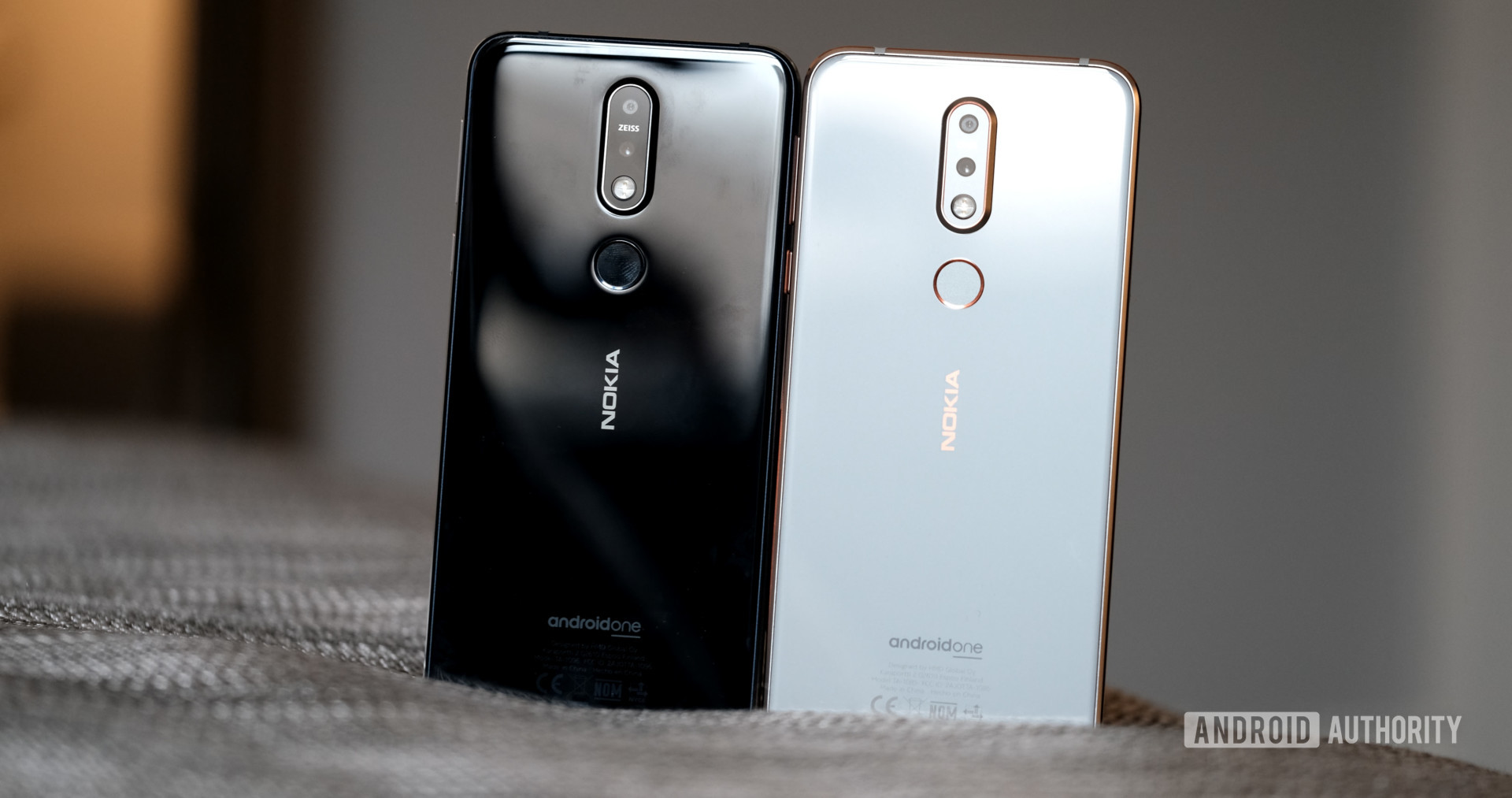
Nokia 7.1 back of both colors

This week marks the second anniversary of the Nokia name’s return to smartphones under HMD Global. We’ve seen a slew of smartphones from HMD since then, ranging from entry-level devices to high-powered flagships.

It’s easy to dismiss HMD Global as a mere pretender and brand licensee. After all, it’s not the real Nokia, right? Here’s why the company should be seen as a proper spiritual successor to Nokia.

A ton of former Nokia employees

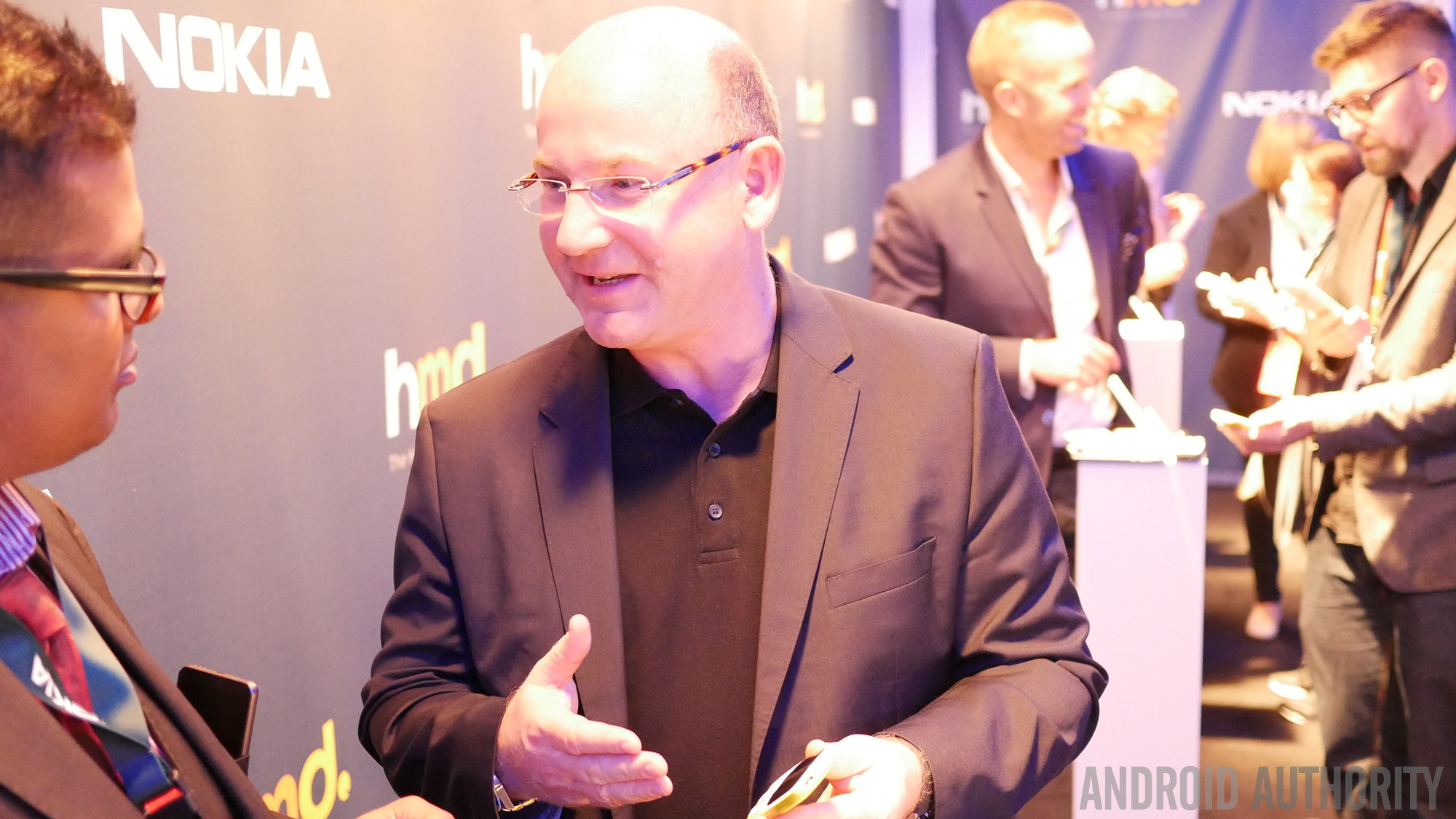
HMD Global CEO Florian Seiche.

HMD Global CEO Florian Seiche

One thing you might not know about HMD Global is many of its executives were actually former Nokia employees. Whether it’s current CEO Florian Seiche (a former Nokia Europe executive) or the company’s design directors, there are loads of HMD people with “Nokia” on their resumes.

Heck, it even surprised me when the regional PR people were employees I had previously known when they were at Nokia. Of course, the presence of a large number of former Nokia employees doesn’t guarantee anything. However, there are people at the company who get why consumers bought Nokia phones in the first place.

Nokia design DNA

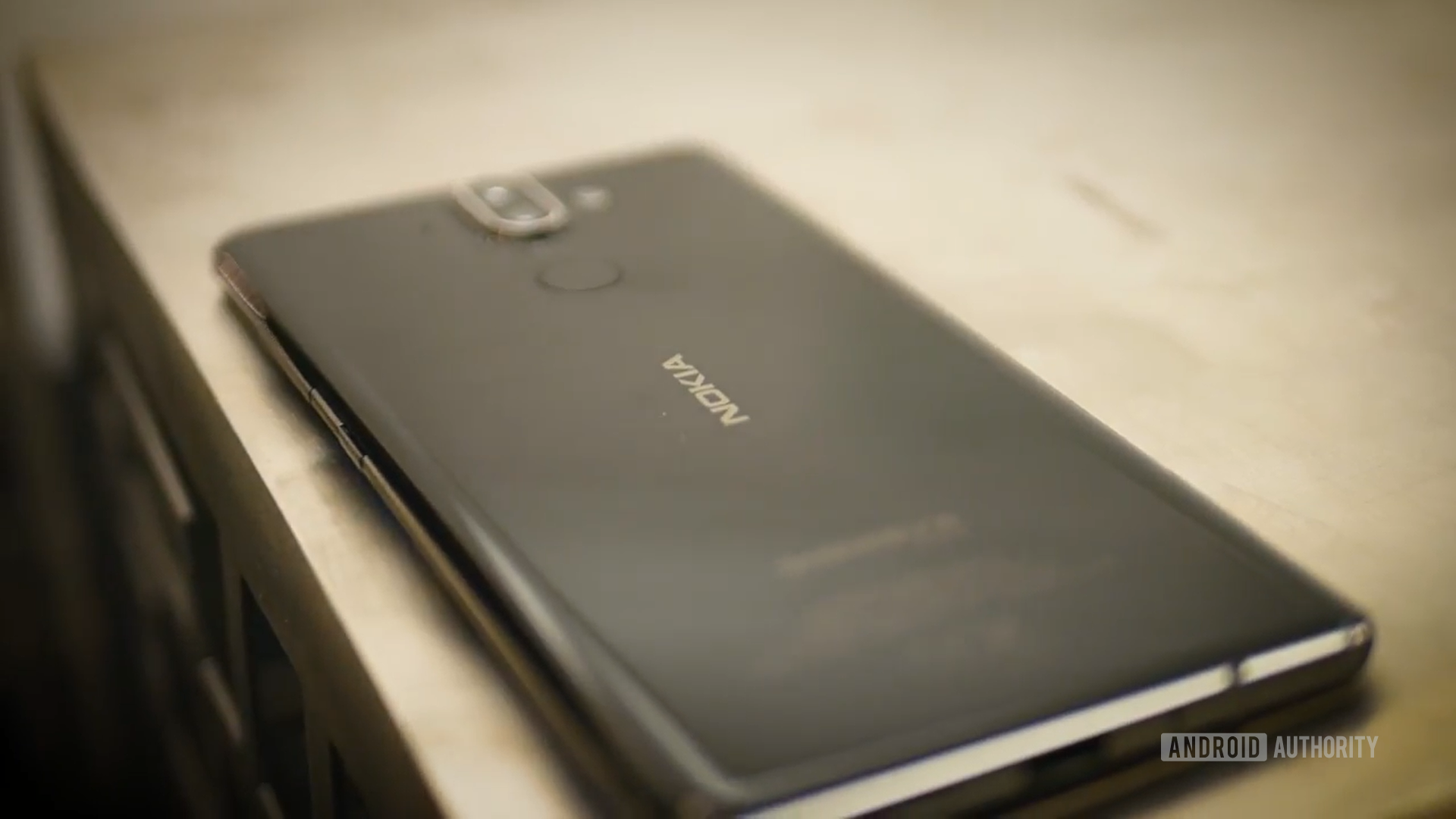
The back of the Nokia 8 Sirocco.

One of Nokia’s trademarks was its durable and premium designs, and HMD has certainly delivered here. You need only take a look at the Nokia 8 Sirocco to see some Nokia DNA, but even the firm’s low-end devices maintain that philosophy. It’s hardly a surprise, given how some senior Nokia designers work at HMD, but it’s welcome to see anyway.

The company also issued two retro reboots in the Nokia 3310 and Nokia 8110, and it’s tough to argue that they don’t look like something the “real” Nokia would’ve done today. (Now, about those ridiculous prices.)

The Nokia camera experience

If there was one unique selling point for Nokia Lumia phones, it was the camera experience. Back then, Nokia had been teaming up with Carl Zeiss in order to deliver better camera lenses. The firm also offered features like refocusing and cinemagraphs before most other OEMs picked up these features.

Editor's Pick

Arguably the most influential addition has to be the inclusion of a Pro Camera mode in Lumia phones. This delivered manual adjustments (ISO, shutter speed) before Android supported it. It was all packaged in a very intuitive wheel-based menu.

We’ve seen LG adopt a similar UI for its manual mode in the years that followed, but HMD Global went the whole hog and acquired the patents for the UI last year. Now all Zeiss-equipped HMD Nokia phones have the same Pro Camera UI seen on older Nokia devices.

A focus on audio recording

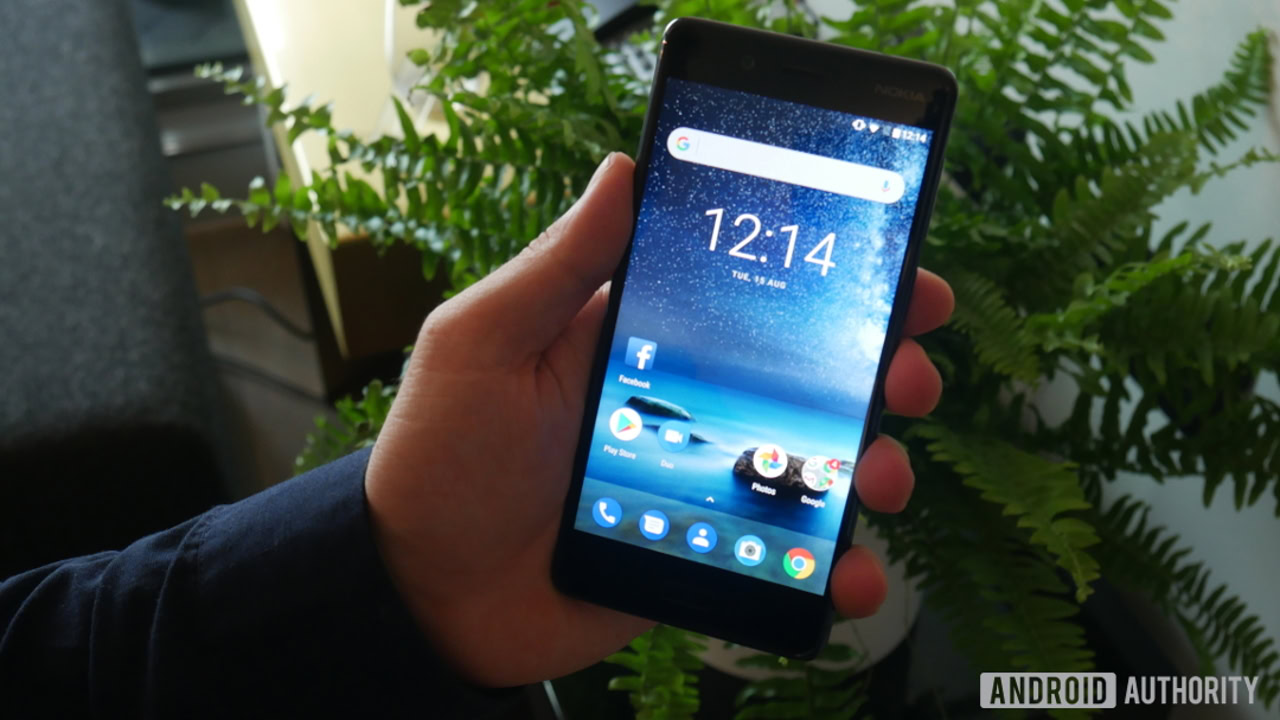
The front of the Nokia 8.

The Finnish company’s phones, like the Lumia 1520 and Nokia 808, were audio recording beasts. This was due to the multiple high-quality microphones in each phone that delivered solid, distortion-free sound at a time when rival phones struggled with loud audio.

The Nokia 8 shows HMD Global hasn’t forgotten about audio capabilities, featuring three microphones and Nokia’s OZO recording tech for 360-degree surround sound recording. This audio setup has also landed on devices like the Nokia 7 Plus and Nokia 8 Sirocco, giving you better audio recording in theory than many rival devices.

What more could HMD do?

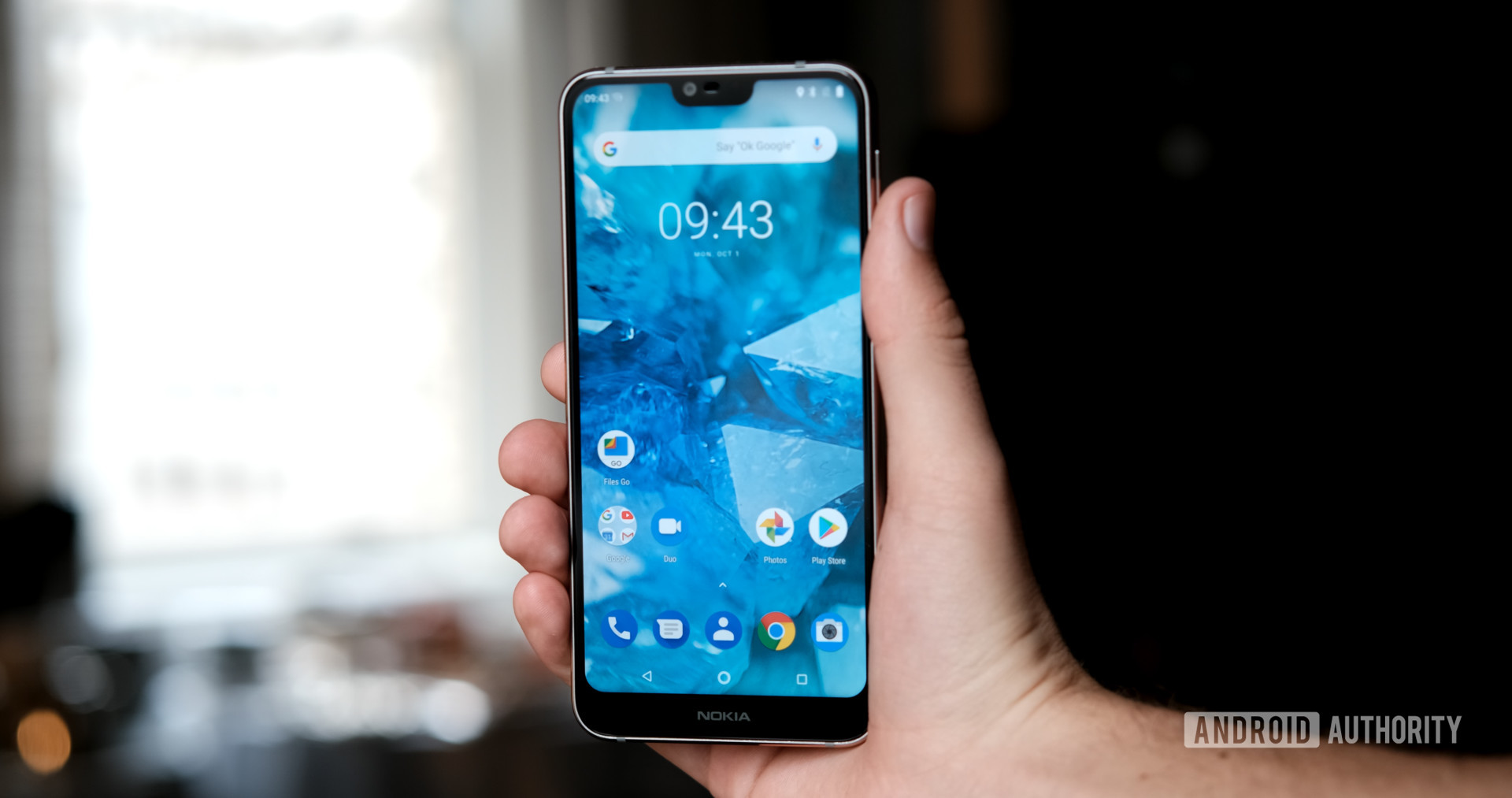
Nokia 7.1 holding and showing front of phone

HMD Global has focused on the design and camera performance of its devices, showing it understands what made Nokia a popular choice in the first place. The company’s job isn’t done yet, though.

For starters, we know the Finnish company obtained the Pureview name from Microsoft and Nokia earlier this year, suggesting more camera improvements are afoot (although Pureview was a brand name used for Nokia phones rather than a specific technology).

We also have to wonder when we’ll see a device truly manage to combine the best of Nokia and HMD. The Nokia 8 Sirocco demonstrated the firm’s design chops, but we thought the camera experience should’ve been better for the price. HMD has a ways to go to truly succeed Nokia and challenge the likes of Google, Samsung, Huawei, and Apple’s cameras.

Hopefully that oft-rumored penta-lens smartphone isn’t just a gimmick.

NEXT: The best Nokia you can buy


from Android Authority https://ift.tt/2zCdlHt

iOS notifications have been improved, but Android’s are still better https://ift.tt/2re1Ilz

iOS vs Android Notifications

When most compare Android to iOS, the first thing people typically bring up is that Google’s mobile operating system is customizable while Apple’s is rigid and set in a walled garden. While this can be argued for and against, one of the critical aspects of each operating system is how they handle notifications.

As Apple recently introduced new notification grouping in iOS 12 and Google has been working to provide Android users with more control over notifications, let’s take a look at the strengths and weaknesses of each mobile operating system.

Grouping notifications

iOS Notifications

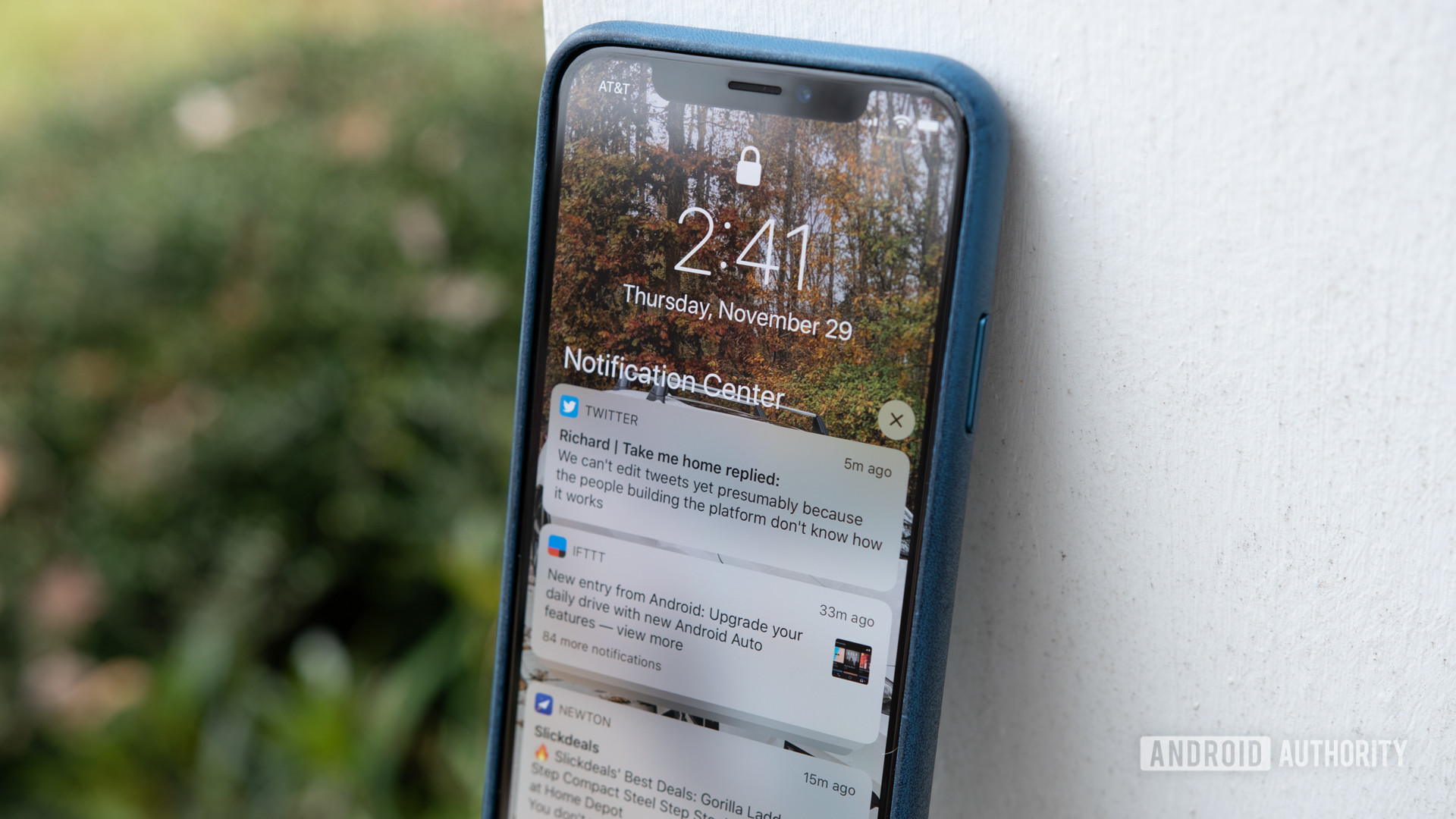
Apple as a company took a significant step forward with iOS 12 and introduced a feature users have been requesting for years: notification grouping. With the update installed, iPhone and iPad owners no longer have a long-running list of incoming notifications. In its place is a long-running list of incoming notifications that are grouped by whichever they came from.

If it sounds like Apple’s new notification grouping feature is still a pain point, that’s because it is. This will be touched on in another section.

Editor's Pick

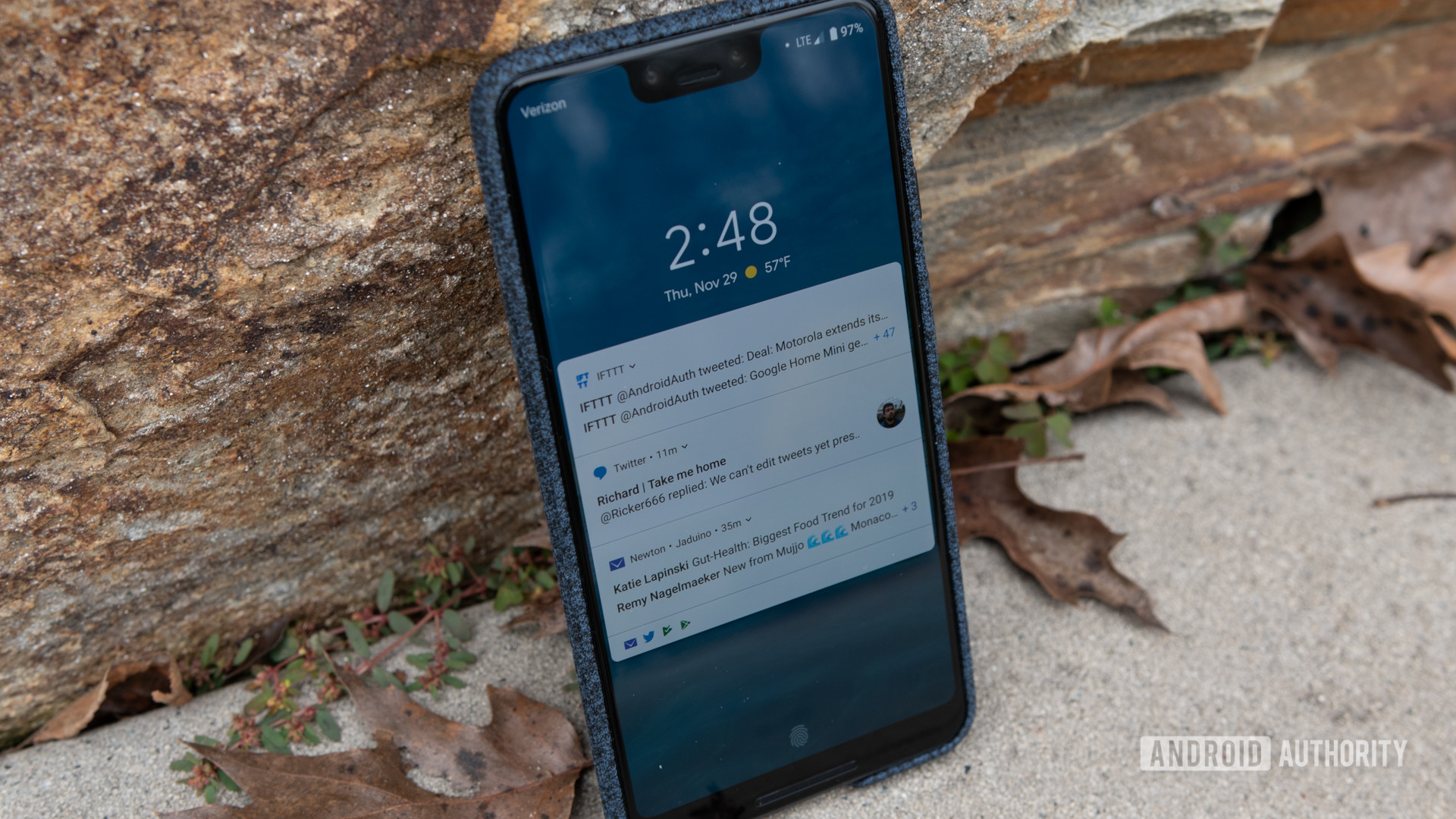
Google first introduced grouped notifications, or bundles, with the release of Android Nougat in 2016. By stacking or combining all of the incoming notifications from a single app into a single card, users wouldn’t have to worry about a cluttered status bar.

The implementation of bundles have been improved upon in Oreo and now Pie, but the feature became a hit and was widely adopted within the Android app ecosystem.

iOS Notifications Android Notifications

As previously mentioned, a similar notification grouping feature was added with the release of iOS 12. Each of these groupings shows the name of the app that supplied the notification, how many notifications there are to view, and displays the preview of the last notification to come in.

I will note that not ever app follows this practice by default. Twitter, for example, groups notifications based on the sender of the tweet. Instead of every notification from the social network showing up in a single grouping, I have multiple groupings, each one based on the account who shared something on the platform. Fortunately, this can be changed in the app’s notification settings.

Related: Samsung Galaxy Note 9 vs iPhone XS Max: Which is worth your $1,000?

Lastly, Android sorts the groupings of notifications by importance instead of leaving everything in chronological order like iOS. While it’s nice having the latest notification right at the top of the list, I find it much more useful when Android places texts and urgent messages front and center. It helps me not lose track of them in the chaos of other incoming notifications.

Interacting with notifications

Android Notifications

This is a section where iOS and Android are pretty much neck and neck, but Android still retains the lead. While implemented in slightly different fashions, both operating systems give the user almost identical options when interacting with the notification.

Using Twitter as the example again, on Android, you can swipe downward on an individual notification and choose to Reply, Retweet, or Like the Tweet. These same actions are available on iOS, but it requires you to swipe the notification card left or right, tap on the View button, and then interact with the tweet once things were finished loading.

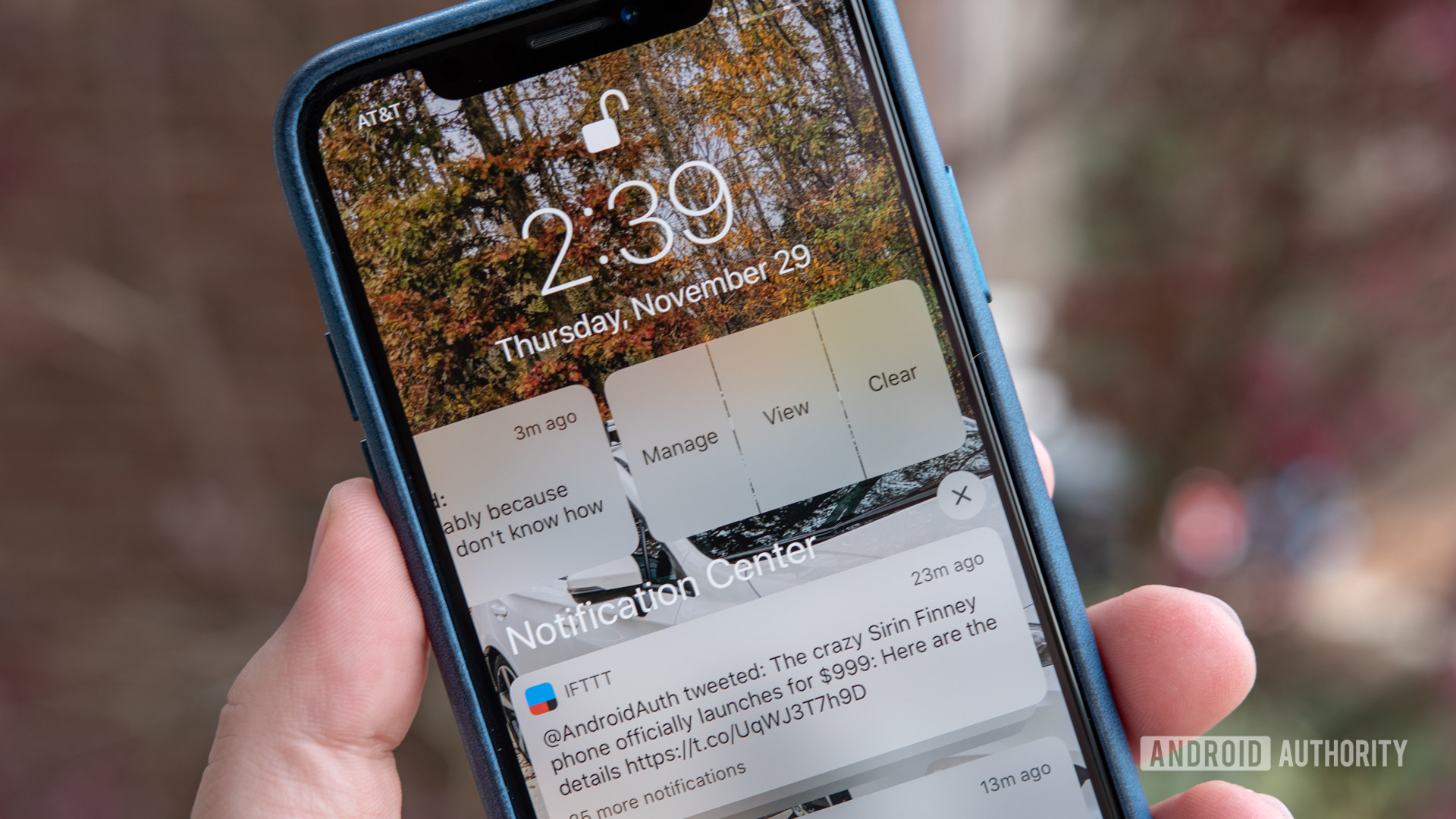
Dismissing notifications is also a lot easier on Android. With a simple flick to the right or left, the card is gone and never to be seen again. On iOS, you slide the notification to the side and then you can tap on the Clear button to get rid of it.

iOS Notifications iOS Notifications

The process is almost identical for groups of notifications. On Android, swiping the group one way or the other dismisses the whole bunch. On iOS, sliding over the bundle brings up a Clear All button. Additionally, after expanding a group of notifications on an Apple device, there is an X button that can clear everything away.

If you just want to clear away every notification on the phone in one grand sweep, both operating systems allow you to do that.

I will admit that the extra steps required by iOS to dismiss notifications can get annoying, but it adds a safeguard so that you don’t accidentally dismiss something. Far too often I somehow swipe away an entire group of notifications on Android when I meant only to get rid of one. By making it a two-step process on iOS, this isn’t a problem.

Notification settings

Android Notifications

Over the last several versions of Android, Google has added additional controls that allow users more authority over app notifications. Instead of just wholly allowing or blocking an app from throwing up notifications whenever it wants, the user can now go into any app through the Settings and adjust what they do and don’t want to see.

Comparing the options made available for Twitter on both operating systems, iOS does give the user a lot more control over where and when they would like to see notifications.

On Android, the user can choose to disable all notifications or individually turn off types of notifications. Google calls these channels.

iOS Notifications

All of these settings are offered on iOS in addition to so much more. On an iPhone or iPad, the user can decide if they want to see a notification on the lock screen, in the notification center, as a banner, or any combination of the three. They also have control over if incoming notifications should inform the user with a sound, show badges, and display previews of the alerts.

While Android has come a long way over the last several years, iOS offers a lot more notification customization options on a per-app basis.

Why Android is still the champ (in my opinion)

Android Notifications Android Notifications

As I made clear at the beginning of this comparison, I am not a fan of how iOS handles notifications. On Android, notification icons are ever present whether you’re looking at the lock screen or the status bar. By always having the notifications front and center, the operating system makes sure you don’t miss out on information that might be important to you.

With iOS, notifications are hidden and out of sight, almost as if Apple expects you to search for incoming notifications if you know that they might be important.

When the iPhone XS came out, I temporarily made the switch to iOS. It was a welcome change (wow, apps are built so much better for iOS), but I had an ongoing struggle with notifications. Because of the way that things are tucked away, I would constantly miss messages only to stumble across them hours later.

Read next: An Android fanboy spends an enlightening week with an iPhone

Now before anyone writes a comment, yes, iOS does feature notification badges that highlight how many unread messages and alerts that you have. This only supports my argument about having to hunt and search for your notifications.

An argument can and has been made against Android and how it pushes users to keep checking and dismissing notifications so that they aren’t just sitting there in your face. While it’s still a work in progress, Google did release Digital Wellbeing as a way to completely hide notifications if the user so wishes.

Digital Wellbeing Hands-On

Unfortunately, Digital Wellbeing is currently only available for Pixel and Android One phones. Here’s hoping the feature becomes available to all Android devices in the future.

So, for me, Android still offers a better notification system over iOS. I get a lot of notifications which means I spend more time managing all of the alerts, but by going through them in order to clear them from my status bar, I don’t feel like I miss anything. 

Editor's Pick

There’s a definite benefit and need to hide notifications occasionally, but iOS does it in such a way that made me feel required to continually check my iPhone just to make sure I didn’t miss anything.

If there was one thing that I wish Android would copy from iOS, it would be the ability to retain notifications after restarting the phone. It doesn’t happen often anymore, but when Android was more buggy, there were times that my handset would just shut off, making me lose any unread notifications.

Again, this isn’t the most significant feature in the world, but it would be nice to have.


What do you think about iOS’ new notification system? Do you think it’s still worse than Android’s or is it on par? Let us know your thoughts in the comment section below!


from Android Authority https://ift.tt/2QwuDiO

UK Deals of the Week: Samsung Galaxy phones on sale, half price Amazon Echo Dot https://ift.tt/2DEC2FR

Samsung Galaxy Note 9 deals

Welcome to your weekly round-up of the best U.K. deals of the week for Android phones, network plans, accessories, smart home tech, and a little of whatever else is on offer in the world of mobile!

U.S. Deals:

This week’s deals include a refurbished Samsung Galaxy Note 9 for just £599, a Samsung Fast Wireless Charger for half price, a big saving on the Fitbit Versa smartwatch, and much more.

Below are the most enticing deals we’ve seen this week hand-picked with a little help from the folks over at HotUKDeals – the U.K.’s biggest deal-sharing community.

Huawei P20 deals

Phone deals

Huawei P20 (SIM-free, 128G) – £399 (was £599) @ Amazon

Motorola Moto G6 (SIM-free, 32GB, single SIM) – £169 (was £219) @ Amazon

Samsung Galaxy S8 (SIM-free, 64GB) – £362 (was £609) @ Amazon

Nokia 7 Plus (SIM-free, 64GB) – £269 (was £349) @ Amazon

Refurbished Samsung Galaxy Note 9 (SIM-free, 128GB) – £599 (was £799) @ Appliances Direct

Nokia 1 (SIM-free, 8GB) – £54 (was £79) @ Amazon

Fitbit Versa deals

Accessories

Fitbit Versa smartwatch – £139 (was £199) @ Amazon

SanDisk Ultra 64GB MicroSDXC – £9.49 (was £34.99) @ PicStop

SanDisk Extreme Pro 128 GB MicroSDXC – £26.99 (was £56.99) @ Amazon

Bose QuietComfort 35 (Series II) Wireless Headphones – £279 (was £329) @ Amazon

Samsung Fast Wireless Charger – £19.99 (was £39.99) @ Carphone Warehouse

Amazon Echo deals

Tech deals

Amazon Echo Dot (3rd Gen) – £24.99 (was £49.99) @ Amazon

Kano Computer Kit – £79.99 (was £99.99) @ Argos

More UK content:

Have you seen any amazing deals this week? Be sure to share your finds in the comments.


from Android Authority https://ift.tt/2KMdfBo

Pop quiz: Can you name these iconic phones? https://ift.tt/2QrSmAU

Each of the 10 images in this quiz shows an iconic phone — a phone that changed the market, started a new trend, or was just extremely popular. Your job is simple: look at the image and try to figure out what the phone is called. There are four choices available for every question, only one of which is correct.

Are you up for the challenge? Press the Start button below to test your knowledge. When you’re done, make sure to share your score on social media.

Note: There is a widget embedded within this post, please visit the site to participate in this post's widget.

This is the 19th quiz in our regular weekly series. You can take a few of the most popular ones via the links below or check out all of them by clicking here.

Let us know which questions you thought were the hardest and share your result with others in the comment section.


from Android Authority https://ift.tt/2Q8MFIL