Tuesday, 1 January 2019

13 best Android emulators for PC and Mac of 2019! http://bit.ly/2Ar9sW8

There are a lot of valid reasons why someone would want to run Android emulators on their PC. App developers may be trying to test their application before shipping it out. Gamers may want to use a mouse and keyboard on their games. Maybe you just want it there to have it. In any case, Android emulation on PC is possible and we’re going to take a look at the best Android emulators for PC. Please note, the process is rarely easy and some of these require some technical knowledge. There are only a few emulators where it’s as easy as downloading, opening, and using them. The market slowed down a lot in recent years with many old favorites (Andy, AmiduOS, and Leapdroid) permanently leaving the space or becoming unusable without tons of issues. You can find out about their fates at the bottom of the article.


Android Studio's emulator

Price: Free
DOWNLOAD ON GOOGLE PLAY
Android Studio is the default development console for Android. It comes with a bunch of tools to help developers make apps and games specifically for Android. As it turns out, there is also a built-in emulator that you can use to test out your app or game. The setup is rather complicated and it can take a long time. Thus, it's not one we would recommend for consumer level use. However, developers can simply use this tool as their emulator for testing their apps. It also supports Kotlin in case developers want to try that out. It's too much of a pain for regular people, but it's excellent for developers.
DOWNLOAD ON GOOGLE PLAY

ARChon

Price: Free
DOWNLOAD FROM GITHUB
ARChon isn't a traditional emulator. You install it as a Google Chrome extension. It then gives Chrome the ability to run Android apps and games (albeit with limited support). It's not an easy emulator to get running. You'll have to install the thing to Chrome. From there, you have to obtain APKs and load them in. As an added rub, you may need to use a tool to change the APK in order to make it compatible. There are a lot more steps to make this work than most other Android emulators for PC. On the plus side, though, it works with any operating system that can run an instance of Chrome (Mac OS, Linux, Windows, etc). We linked to the official GitHub where you can find detailed instructions on its use.
DOWNLOAD FROM GITHUB
ARChon

Bliss

Price: Free
DOWNLOAD FROM XDA-DEVELOPERS
Bliss is something a little bit different. It works as an Android emulator for PC via virtual machine. However, it can also just flat run on your computer through a USB stick. This is definitely a power user option and not recommended for simple. As a VM install, the process is fairly simple, if tedious. The USB installation method is even more complicated, but it lets your computer actually run Android natively from boot. That makes Bliss a super unique emulator if you can make it through the steps to the end. Of course, it only really runs well if your system is compatible so be prepared with a backup of your current operating system. The system runs Android Oreo and that's among the newer versions of Android offered on an emulator. This is a bit of a diamond in the rough, but again, we only recommend this one to the tech savvy.
DOWNLOAD FROM XDA-DEVELOPERS
Bliss


Bluestacks 4

Price: Free / $2 per month
Download from Bluestacks!
Bluestacks is the most mainstream of all Android emulators. There are several reasons for that. For starters, it's compatible with Windows and Mac. It was also one of the first that worked really well that still gets regular updates. The emulator targets mobile gamers. There is a stigma with Bluestacks because it can feel a little bloated at times. Bluestacks 4 (launched in 2018) aimed to fix that with mixed results. However, it has the ability to launch multiple instances so you can play multiple games at once (or the same game multiple times). It also includes key-mapping and settings for many games installed. That should help make things much easier. It's one of the heaviest emulators on the list. However, it also has the most features for better or for worse. Recent updates put Bluestacks at Android 7.1.2 (Nougat), one of the most recent of any emulator. The update to Bluestacks 4 also improved speed, even on older computers. It should work well on most reasonably recent computers and laptops.
Download from Bluestacks!

Droid4X

Price: Free
DOWNLOAD ON DROID4X
Droid4X is currently available, but it's a tough one to recommend. It's one of the classic Android emulators for PC and t features a simple design that should easily work for a lot of people. It markets itself towards gamers and boasts support for simpler, casual games. However, like most Android emulators, you can do productivity stuff if you want to. This one is not in active development anymore. Its last update was March 28th, 2016. Thus, we recommend you tread with caution as this could be a buggy and unstable product. Droid4x is also Mac compatible. We have the Windows version linked up, so Mac users will need to search a bit for it.
DOWNLOAD ON DROID4X
Droid4X

Genymotion

Price: Free with paid options
Download from Genymotion
This Android emulator is mostly for developers. It lets you test your apps on a variety of devices without owning them. You can configure the emulator for a variety of devices with various versions of Android to help suit your needs. For instance, you can run a Nexus One with Android 4.2 or a Nexus 6 with Android 6.0. You can easily switch between virtual devices at will. It’s not great for consumer uses, but Genymotion does offer their services for free for personal use. It's most useful feature is its availability on both your desktop computer and the cloud. Those without powerful computers can make Genymotion's servers do all the work for them.
Download from Genymotion

KoPlayer

Price: Free
Download from KoPlayer!
KoPlayer is a newer Android emulator for PC (comparatively speaking). It has also managed to fly under most radars until recently. Its main focus is for gaming. You'll be able to use key-mapping to emulate a controller with your keyboard. Players will also be able to record game play and upload it wherever they want. The install process is easy enough and it seems to work okay. It runs in a virtual machine like most other Android emulators for PC. It's a middle of the road option and it's also usable for productivity. There is the occasional but, but most emulators on the list have them. It's not bad for a free option.
Download from KoPlayer!

MEmu

Price: Free
Download from MEmu!
MEmu is another of the up and coming Android emulators that seems to do quite well with gamers. One of its biggest features is support for both AMD and Intel chipsets. Most work on AMD processors, but it's nice to see developers specifically pay attention to AMD's platform. Additionally, it supports Android Jelly Bean, Kit Kat, and Lollipop. You can even run multiple instances at once for multiple games or testing features. It aims itself at gamers much like Bluestacks and similar emulators. However, it's also quite usable as a productivity tool as well. Its most recent update was in late December 2018 according to its blog and that means its development is still in full swing. We appreciate that.
Download from MEmu!
MEmu


Nox

Price: Free
Download from Nox!
Nox is another Android emulator for PC for gamers. That includes the usual stuff like key-mapping with your keyboard, actual controller support, and even the ability to key-map gesture controls. For instance, you can assign the function to swipe right to an arrow key and use that in a game without actual hardware controller support. It’s a lot of fun and seems to work rather well most of the time. It’s also entirely free and in active development. The demo video below is rather old and it definitely ran better than that on my laptop.
Download from Nox!

Remix OS Player

Price: Free
Download from Jide!
Remix OS Player by Jide is one of the newer Android emulators for PC (comparatively speaking). It runs Android Marshmallow and that's still relatively new compared to many of the others on the list. The installation process is pretty simple and using it also fairly easy. It caters mostly to gamers. There are a few gamer specific features along with a customizable toolbar. It boasts features like running multiple games at once. That said, it's a fairly clean emulator so it's still perfectly usable as a productivity tool. The site runs a little slow, though, and it hasn't received a substantial update in a while and its social media accounts have been inactive since 2017. We're concerned about this one in the long term, but it still works for now.
Download from Jide!

Xamarin

Price: Free / Varies
DOWNLOAD ON GOOGLE PLAY
Xamarin is an IDE similar to Android Studio. The difference is that it can plug into things like Microsoft Visual Studio for an even larger development environment (for better or for worse). Also, like the Android Studio, this comes with a built-in emulator for app or game testing. In case it wasn't readily apparent, we only recommend this one to developers. The setup is simply too tedious for regular consume use. Xamarin's emulator is not as powerful as something like Genymotion, but it'll get the job done if you intend on using this and it's also configurable for your needs. It's free for personal use. Companies and larger teams may have to negotiate a payment plan.
DOWNLOAD ON GOOGLE PLAY

YouWave

Price: Free / $29.99
DOWNLOAD ON GOOGLE PLAY
YouWave is one of the older Android emulators for PC. It's been around for a long time. Its last update was in 2016, though. That makes it fairly current. The free version uses Ice Cream Sandwich. Forking out the $29.99 will get you the Lollipop version. We didn't experience any major issues with either one. The installation process was easy enough. It doesn't have any game specific features but it will still play games. That makes it good for light gaming and productivity. We haven't seen a meaningful update in quite a long time, though, so even its Lollipop version is woefully out of date. We don't recommend the premium version, but the free version works nicely for those who want an older emulator that runs older Android.
DOWNLOAD ON GOOGLE PLAY

Make Your Own

Price: Free
DOWNLOAD ON GOOGLE PLAY
As it turns out, you can build your own emulator. Here's how it works. You need to download VirtualBox (linked above). You then have to download an image from Android-x86.org. From there, it's just a matter of finding one of the many guides online and following the steps. This is easily one of the more difficult methods, but still not quite as tedious or difficult as setting up a whole IDE like Android Studio or Xamarin. We don't recommend you try without a tutorial and a little prior knowledge. It won't work well, it'll be buggy, and unless you're a coder, it'll be difficult to fix. Still, it'll be yours to customize as you please and who knows, maybe you'll make and release an emulator that'll adorn this list someday.
DOWNLOAD ON GOOGLE PLAY

10 best office apps for Android

10 best cloud storage services and apps for Android of 2018!

If we missed any of the best Android emulators for PC, tell us about them in the comments! You can also click here to check out our latest Android app and game lists! Here are what happened to some old classics from the list:

Best VPN Service 2018

ExpressVPN for Android is the best Android VPN app that we’ve tested. The service offers excellent security, with 256-bit encryption, an SSL-secured network, and unlimited bandwidth. The simply interface makes it easy to pick among the company’s 145 server locations, which are spread out among 94 different countries. And with excellent connection stability, you can use all your other apps with total confidence that ExpressVPN is protecting you in the background. expressvpn review

Want to give ExpressVPN a try? The company offers a risk free 30-day money-back guarantee, so you have nothing to lose. You can get three months free! Learn More


from Android Authority http://bit.ly/2ygf8jK

Consumer AT&T 5G speedtest is similar to 4G speedtest ¯\_(ツ)_/¯ http://bit.ly/2TlwYeh

A promotional image of the AT&T 5G Hotspot, made by Netgear. AT&T

AT&T made a big fuss about the fact that it is the first wireless carrier in the United States to offer a consumer connection to a standards-based 5G network. One of the lucky few to actually connect to this network posted a 5G speedtest to Reddit recently, and the results are…underwhelming.

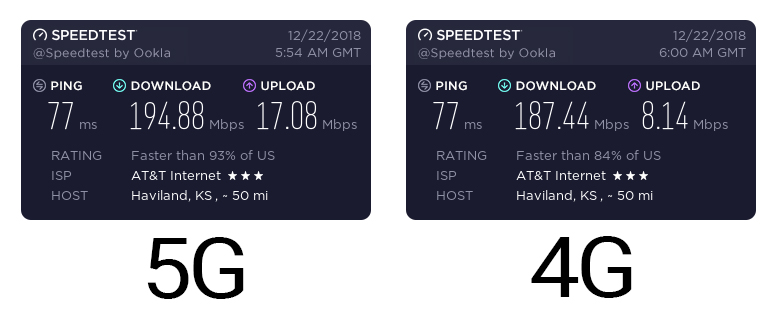
Reddit user “mwb6d” posted an image of their Netgear Nighthawk 5G Hotspot connected to AT&T’s 5G network. The user then posted two screenshots: a 5G speedtest using the Nighthawk in Indianapolis directly across the street from a low cell tower, and then a test using the same equipment in the same spot, but with the Nighthawk on LTE instead.

The two screenshots are below:

You’ll immediately notice that the two speedtests are very similar to one another. They both have the exact same ping time and their download speeds are in the same ballpark. The only big difference between 5G and 4G, it seems, is upload speed: the 5G speedtest shows that 5G uploads are more than twice as fast as 4G.

Why are these speedtests so similar? Shouldn’t the 5G test be crazy fast, or at the very least much faster than the 4G test?

Editor's Pick

While we would need AT&T to explain things to know for certain, analysis points to AT&T’s 5G network in Indianapolis being so young that it isn’t capable of delivering peak speeds. In fact, the current theoretical peak speed of AT&T’s 5G network is 625Mbps, much slower than theoretical peak speeds of 4G LTE (1.2Gbps).

In other words, even if you were lucky enough to get your hands on a 5G hotspot and also lucky enough to live in an area where 5G is active, the only advantage you’d likely find is faster upload speeds. For that, you’d have to haul around this Nighthawk hotspot, which hardly seems worth it.

This is probably why AT&T’s rollout of the Nighthawk hotspot is so small. As far as we know, the company didn’t give the hotspot to any journalists for testing and the two speedtests above are (so far, anyway) the only consumer 5G speedtests we’ve seen online. It’s not hard to conclude from this info that AT&T was more concerned with being first-to-5G than it was being anywhere ready to actually deploy 5G.

NEXT: AT&T customers: Don’t be fooled if you see a “5G E” indicator on your phone


from Android Authority http://bit.ly/2s0PBZt

Essential in 2019: A clouded future http://bit.ly/2s3MkbM

2017 was supposed to be Essential’s coming-out party. With a reported valuation of $1 billion, Android co-founder Andy Rubin at the helm, and the near-bezel-less wonder known as the Essential PH-1, Essential should made a real splash.

Instead, Essential entered the smartphone market with a whisper.

From the PH-1’s underwhelming sales and various issues to Andy Rubin’s personal baggage, 2017 was a year to forget for Essential. The company likely saw 2018 with a degree of optimism.

Unfortunately for Essential, the reality was very different. Let’s take a look at what 2018 looked like for Essential and what 2019 might have in store.

Essential in 2018: Struggles and layoffs

Having only one smartphone meant Essential didn’t have to split its attention across multiple devices. It also meant the company’s success hinged on how well the PH-1 performed.

Unfortunately for Essential, the PH-1’s poor sales continued.

A May 2018 report alleged Essential canceled development of its second smartphone. The same report also claimed that Essential hired a financial firm to look into selling off the entire company.

Following the report, Essential CEO and Android co-founder Andy Rubin sent an internal email to company employees. In the email, Rubin said that Essential would not shut down. He also said the company was in talks with bankers to raise additional funds.

Interestingly, Rubin also said the discussions with bankers might include talk about a possible acquisition. Nothing of the sort has happened, but that’s scary talk, considering the company reportedly raised $300 million almost two years ago.

Compounding matters, Essential laid off 30 percent of its employees in October. Most of the terminated employees reportedly worked in the company’s hardware and sales divisions.

An Essential spokesperson confirmed the layoffs, but didn’t reveal the reasoning behind the layoffs other than a “sharpened product focus.”

Andy Rubin’s personal troubles

Forbes

The worst development for Essential had nothing to do with a potential company sale or laid-off employees. Andy Rubin’s personal history reared its ugly head.

In October 2017, Rubin reportedly took a leave of absence from Essential. According to a report released at the time, Rubin had an inappropriate relationship with a subordinate during his time at Google.

Rubin’s spokesperson didn’t deny the relationship, but said any relationship Rubin had at Google “was consensual.” Regardless, Rubin reportedly stepped away from his company and returned almost two months later.

This isn't a good look for a man running a company worth $1 billion.

Things only worsened for Rubin in October 2018, when a report revealed more details about the alleged relationship, apparently an extramarital sexual liaison with a female subordinate in a hotel room.

The relationship may have been consensual, but Google has strict policies against sexual relations with subordinates. As a result, Google reportedly forced Rubin out of his position at the company.

As if that wasn’t enough, Google also reportedly paid Rubin an exit package worth $90 million. The exit package was allegedly paid out over monthly installments of $2 million.

Rubin called the allegations a “smear campaign” against him.

Google came out looking much worse than Rubin, since the company reportedly made similar payments to other high-level executives. However, Rubin’s personal issues might have people wondering whether he’s the right man to lead Essential into its already clouded future.

It wasn’t all bad…

The PH-1 didn’t have the best of launches, but Essential ironed out its shipment issues in 2018. However, the phone still had its fair share of problems, particularly with the image processing and the camera app.

To the company’s credit, Essential pushed out more updates to the camera than we could count, which helped a bit with the image quality, though some just downloaded the Google Camera app and called it a day.

Those updates didn’t address the spotty cellular reception or touch response issues, but at least Essential was paying attention to PH-1 owners.

Editor's Pick

What’s more impressive is how well Essential did when it came to general Android updates. On some occasions, Essential even beat Google to the punch with some security updates. Even better, Essential promised it would push out Android Q to the PH-1.

It’s not a stretch to say Essential is the best smartphone manufacturer when it comes to timely Android updates, apart from Google.

In addition to software updates, Essential surprised people with its reported acquisition of CloudMagic. CloudMagic is the company behind the popular Newton email app, which shut down earlier this year.

It’s not clear why Essential would buy a company like CloudMagic, especially when Essential is reportedly struggling financially. It no doubt plays into what Essential has planned for 2019.

Essential in 2019: Not much to go on

With Rubin possibly selling Essential, we didn’t think the company would even have a 2019. That all changed with an October 2018 report, alleging Essential is working on a new AI-centric device with smartphone-like functionality.

The device reportedly uses artificial intelligence and voice commands to take care of menial tasks you perform on your phone, like answering texts, booking appointments, sending and responding to emails, and more without you doing anything.

Essential's immediate future could look very compelling.

As for the PH-1, the phone recently went out of stock across various retailers and Essential’s website. Essential said it would not replenish stock, officially discontinuing the phone.

Interestingly, Essential also said it’s working on its “next mobile product.” We don’t know if the product is the same AI-centric device mentioned in the earlier report. Either way, it seems Essential isn’t down for the count just yet.

A clouded future

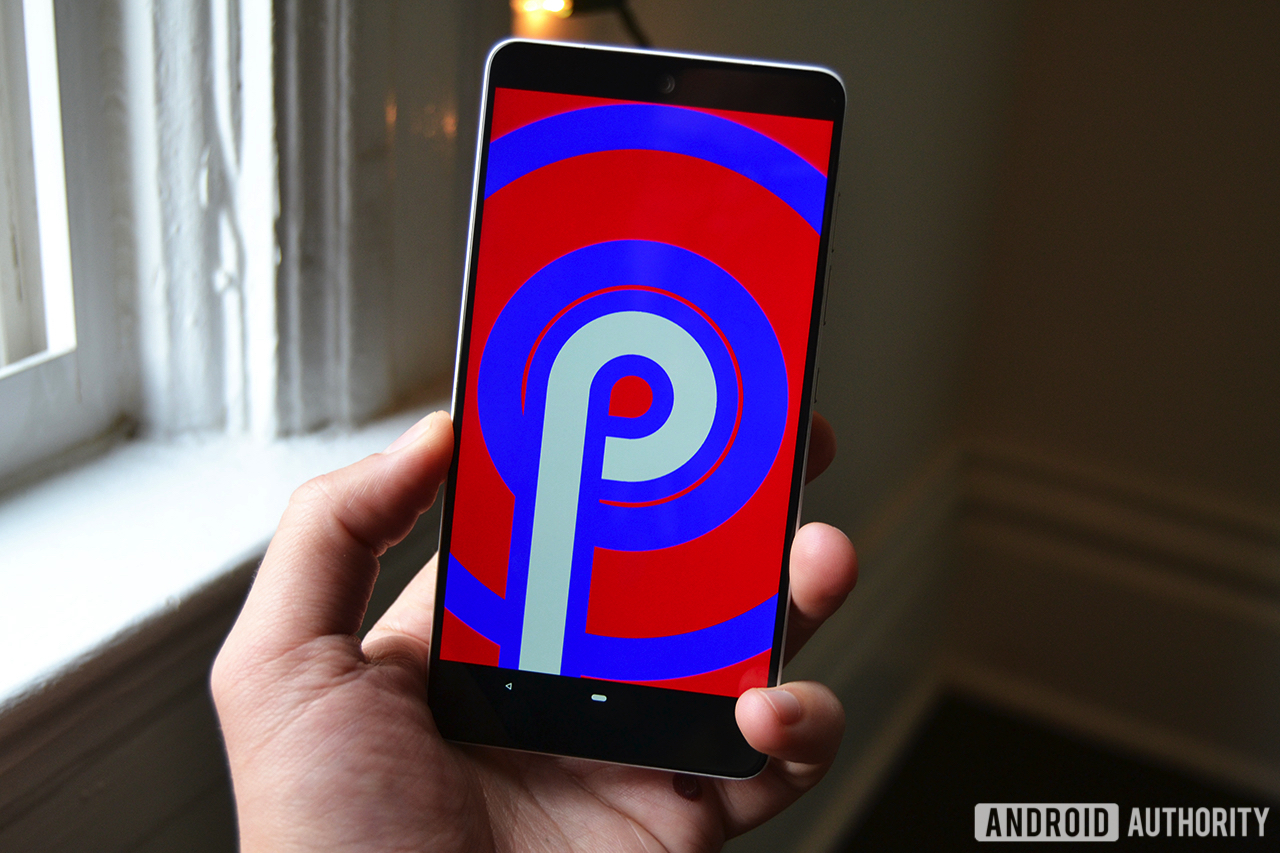
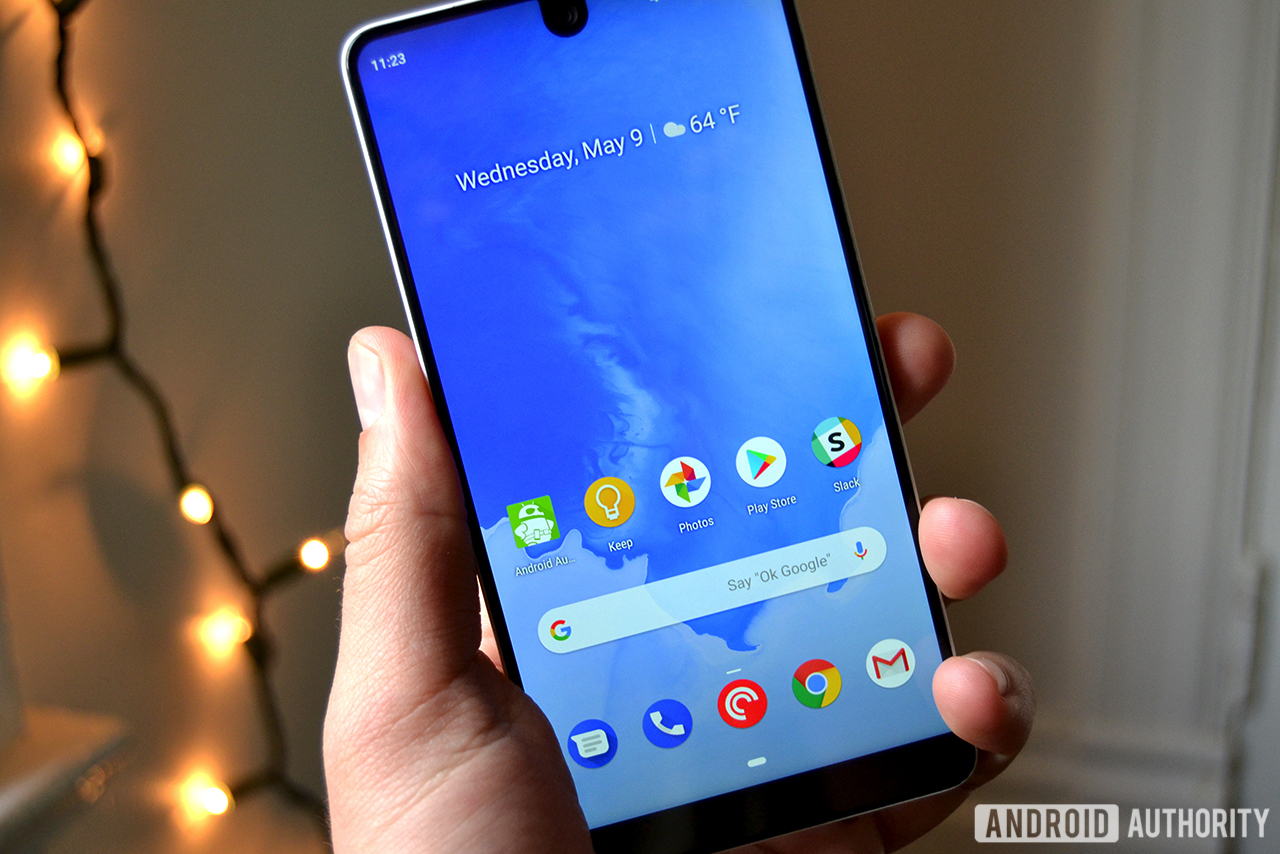
The Essential Phone with Android P.

Let’s talk about Red and the Hydrogen One.

Similar to the PH-1, the Hydrogen One was announced in 2017. Both phones built up a respectable amount of hype before release — the PH-1 had the enigmatic Essential behind it, while the Hydrogen One had its maker’s camera chops to thank.

The PH-1 and Hydrogen One are also somewhat modular — you could attach accessories to them to expand their functionalities.

Lastly, both phones were new entries from relative unknowns in the smartphone market. Essential and Red wanted to shake things up in different ways. They were companies that could take some attention away from mainstays like Huawei, Samsung, and Apple.

Editor's Pick

Unfortunately for Essential and Red, their phones were reminders that launching an Android smartphone in today’s market is extremely difficult.

It’s almost creepy how similarly disappointing the PH-1 and Hydrogen One are. Both phones didn’t live up to the promises of a modular ecosystem, had so-so cameras, and cost more than the experience of using them would indicate.

Essential at least eventually got smart and gave the PH-1 a permanent price cut.

Launching an Android smartphone in today's market is extremely difficult.

There is one key difference, however: Red has a clearer future for the Hydrogen One than Essential does with, well, anything.

With Red, we know modular accessories are probably coming. We know the company will probably release a Hydrogen Two. We know Red will probably not give up on the smartphone market.

We can’t say the same thing about Essential, even if we want to use the word “probably.”

As far as we know, the Essential Home smart hub is dead. Essential’s modular ecosystem only produced two accessories for a phone now permanently out of stock. We don’t know if Essential’s upcoming mobile device is a smartphone or something else altogether.

We don’t even know how Essential is financially performing.

I suppose that’s the answer for where Essential is and where it’s headed: we don’t know. Essential didn’t have much going on in 2018 in terms of product releases. The company only made news in 2018 because of software updates, CEO issues, and one or two company happenings. There’s not much to go on, and that might not change moving forward.

Perhaps the company will prove us all wrong with its upcoming mobile device. Perhaps Rubin’s personal life will stop dragging Essential’s name through the gutter. Perhaps the company will regain the workers it lost.

We don’t want Essential to fail. We want new smartphone manufacturers to rise and challenge the status quo. We’re tired of the same companies dominating the smartphone market, year in and year out.

We want Essential to succeed. We’re just not sure it’ll happen.


from Android Authority http://bit.ly/2LH8NV6

10 best horoscope apps and free horoscope apps for Android! http://bit.ly/2BQyxd7

This is the featured image for the best free horoscope apps for android
The horoscope is a fairly interesting idea. It’s been around for centuries and lots of people enjoy them. Basically, astrologers use the universe’s position at the time of your birth to predict things in your life. Some consider it phony, others really believe it, and some just enjoy the entertainment value of it. There are a ton of horoscope apps on Google Play. It’s surprisingly hard to mess one of these up also. As long as you get some info every day, that seems to be good enough for most people. However, there are some that stand above the rest.  Here are the best horoscope apps and free horoscope apps for Android!


ADNFX free horoscope apps

Price: Free (with advertising)
DOWNLOAD ON GOOGLE PLAY
ADNFX is a developer on Google Play with several free horoscope apps for Android. The developer has an app for each zodiac instead of a single app for all of them. Each app is specific to its own zodiac sign. Some features include daily horoscopes for love, work, mood, and other stuff. Additionally, it features weekly and monthly horoscopes, previous horoscopes, fun facts about that particular zodiac sign, and, of course, the ability to share on social media. Each app is completely free with no in-app purchases. There are ads, though. We would like a way to buy an ad-free version, but that's our only major gripe with these horoscope apps.
DOWNLOAD ON GOOGLE PLAY
ADNFX free horoscope apps

Astroguide

Price: Free / $2.99 per three months
DOWNLOAD ON GOOGLE PLAY
Astroguide is an all-in-one solution for your astral guidance. It features horoscopes for various moods like love, stress, sensibility, and several others. It also includes fun facts about each zodiac, yesterday's horoscope reading, tomorrow's horoscope reading, You also get zodiac compatibility ratings, shareable quotes, and even a tarot card reader. The tarot card reader is obviously just for entertainment purposes, but it is there. The app looks and works just fine, although we would appreciate a slightly less clunky UI. The app is also entirely free with advertising. You can remove the ads with the $2.99 per three month subscription price.
DOWNLOAD ON GOOGLE PLAY
Astroguide

AstroMatrix

Price: Free / $9.99 per six months / $14.99 per year / $19.99 once
DOWNLOAD ON GOOGLE PLAY
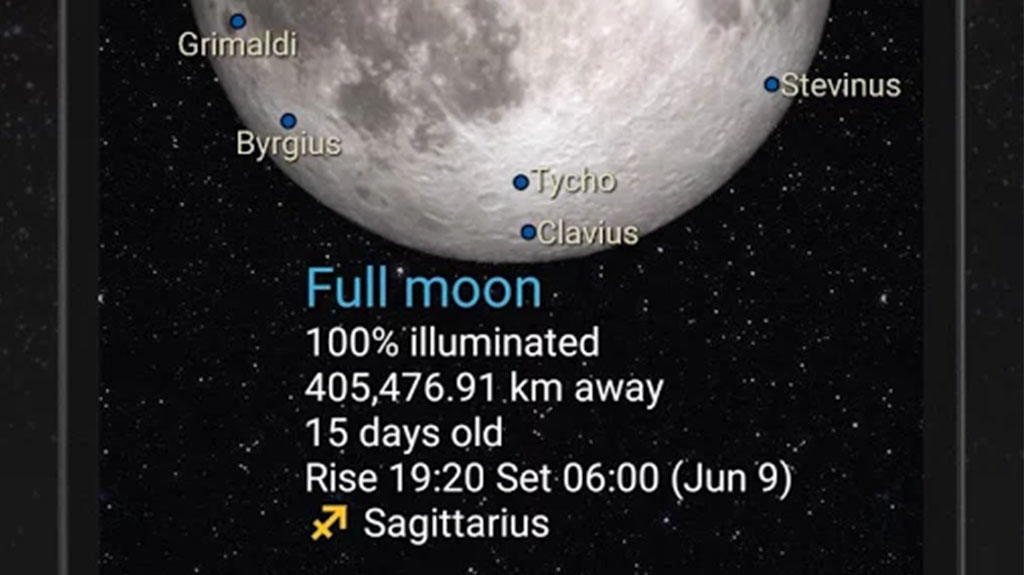
AstroMatrix is one of the most hardcore horoscope apps on the list. It also includes a bunch of features. Your horoscopes are not only from your birthday, but your birth time and birth location as well. You also get daily, weekly, and monthly horoscopes. Some additional features include moon phases, quotes of the day, famous birthdays on any given day, and a bunch of other stuff. The UI is super clunky and we didn't like it, but the information is otherwise pretty good. You can use the app for free or remove ads for the subscription prices listed above. There is also an option to unlock the app once for $19.99. There are also options for personalized one-hour phone readings, but they are way too expensive to ideally recommend.
DOWNLOAD ON GOOGLE PLAY
AstroMatrix

Daily Horoscope by Comitic

Price: Free (with ads)
DOWNLOAD ON GOOGLE PLAY
Daily Horoscope by Comitic is a basic, simple horoscope app. You get a lot of the basic features, including daily, weekly, and monthly horoscopes. It also includes zodiac compatibility ratings, a widget, and Chinese horoscopes as well. You can check horoscopes in the past up to about a week and get push notifications for your daily horoscope. The app has some light customization elements as well. It's definitely not the most intense app on the list. However, it gets the job done and works well for people who want something easy and simple. The app is also completely free with advertising.
DOWNLOAD ON GOOGLE PLAY
Daily Horoscope by Comitic

Daily Horoscope Plus

Price: Free (with ads)
DOWNLOAD ON GOOGLE PLAY
Daily Horoscope Plus is another popular free horoscope app. You get the usual stuff like daily, weekly, and monthly horoscopes, compatibility ratings, and horoscopes for various moods. The UI is clunky, but functional as it seems to be with horoscope apps in general and the advertising is a little annoying. You also get unusual features like a fortune cookie simulator, daily lucky colors, Chinese astrology, and even some astrology articles. However, at its core, it's a good, simple, free horoscope app with some fun extras. The app is entirely free with advertising with no option to buy an ad-free version.
DOWNLOAD ON GOOGLE PLAY
Daily Horoscope Plus


Horoscope by Best Horoscope App Ever

Price: Free (with ads)
DOWNLOAD ON GOOGLE PLAY
Horoscope is a simple app by Best Horoscope App Ever. The developer name is a little boastful, but that's okay. The app features a decent UI, good information, and quick results. You get the usual daily, weekly, and monthly forecasts along with love compatibility, finance and career horoscopes, and family and friends horoscopes. It even includes Chinese horoscopes. About the only issue we noticed was the occasional grammar or spelling error. However, it's really not that big of a deal. These are likely written by a human being. The app is completely free with ads and also no in-app purchases.
DOWNLOAD ON GOOGLE PLAY
Horoscope by Best Horoscope App Ever

HoroscopeDaily

Price: Free (with ads)
DOWNLOAD ON GOOGLE PLAY
HoroscopeDaily is kind of a wild card choice for free horoscope apps. The app uses a similar UI to most of the other horoscope apps on the list. You choose your horoscope, read it, and then share it if you want to. You get the daily, weekly, monthly, and yearly horoscopes like most other apps, and there are push notifications for daily horoscopes. It's completely free with with ads like most of its competitors and you get all of the most basic horoscope app features. However, this one doesn't have a ton of downloads or reviews and that usually means its relatively new. It may be a bit buggy, but it worked fine for us.
DOWNLOAD ON GOOGLE PLAY

Horoscope - Zodiac Signs

Price: Free (with ads)
DOWNLOAD ON GOOGLE PLAY
Horoscope - Zodiac Signs is yet another free horoscope app. It works very much like most of the other free horoscope apps on the list. You open it, click your zodiac sign, and read your various horoscopes. You can check back on a previous day's horoscope along with today's, this week's, and this month's horoscope. The app also adds push notifications, zodiac fun facts, and a good looking (if simple) UI. We don't have any outstanding complaints with this one. You open it, it does the stuff, and you close it and check it later. There are ads, but they always appear at the very bottom of a page where they aren't causing any real problems. It's pretty good for a simple horoscope app.
DOWNLOAD ON GOOGLE PLAY
Horoscope - Zodiac Signs

iHoroscope

Price: Free / $2.99 / Additional in-app purchases
DOWNLOAD ON GOOGLE PLAY
iHoroscope is a very popular option. It has all of the usual stuff that we keep listing so we won't bother this time. It does also show horoscopes for love, well-being, career, and social life. Each section has a paragraph or two of information. The advertising is fairly annoying, but the app makes up for it by having one of the better UI experiences on the list. You, of course, get notifications and such as well. We only really recommend this one if you plan on forking out the $2.99 to remove advertisements. There is also a premium chat service. You buy credits as in-app purchases and use those credits for personalized horoscope chats.
DOWNLOAD ON GOOGLE PLAY
iHoroscope

Yodha Daily Horoscope

Price: Free
DOWNLOAD ON GOOGLE PLAY
Yodha Daily Horoscope has the distinction of being the only app on this list that is completely free and also has no advertising. It offers free daily horoscopes and that's about it, really. You get some bonus stuff like configurable push notifications, a clean UI, and simple controls. However, the charm with this one is that it's simple and there are no ads to bug you. The developer (Yodha) has two other astrology focused apps with a bunch of extra features, more in-depth horoscopes, and an astrology service that costs money. You can definitely try those out too because they aren't half bad. However, for the purposes of this list, we like Yodha Daily Horoscope the most.
DOWNLOAD ON GOOGLE PLAY
Yodha Daily Horoscope

15 best weather apps and weather widgets for Android

10 best nature apps and nature sound apps for Android

If we missed any great horoscope apps or free horoscope apps for Android, tell us about it in the comments! You can also click here to check out our latest Android app and game lists!


from Android Authority http://bit.ly/2VnQEQo