Saturday, 29 September 2018

10 best background and wallpaper apps for Android https://ift.tt/2DAdEBZ

best backgrounds and wallpaper apps for Android
Finding great wallpapers and backgrounds for your Android device isn’t all that difficult. There are a ton of apps out there that can do the task. On top of that, a simple Google image search can also show you some unique options. The trick is finding the apps that work best for you and finding the kind of stuff you want to see. Let’s take a quick look at the best backgrounds and wallpaper apps for Android! We also recommend the official NASA app for some excellent space wallpapers.


Backgrounds HD

Price: Free
DOWNLOAD ON GOOGLE PLAY
Backgrounds HD is one of the older and more popular wallpaper apps. It boasts a massive inventory of wallpapers and backgrounds organized into 30 categories. The app also features Material Design, favorites, downloading, and it can set wallpapers within the app. The huge inventory means that some wallpapers aren't the highest quality. This has been around since before HD screens. However, the majority of the new stuff you see are right up there in terms of resolution and quality. The app is free with advertising.
DOWNLOAD ON GOOGLE PLAY
Backgrounds HD

Muzei Live Wallpaper

Price: Free
DOWNLOAD ON GOOGLE PLAY
Muzei Live Wallpaper is technically a live wallpaper app. However, it does provide tons of high quality wallpapers. Muzei rotates wallpapers on your home screen. It helps keep your home screen from getting boring. Users have two options. You can choose wallpapers and images from your gallery or tap into Muzei's exhaustive gallery of artwork. Each piece of artwork also comes with a bit of a history lesson. Muzei also supports Android Wear. The app is entirely free, open source, and other developers integrate Muzei into their apps. It's that good.

DOWNLOAD ON GOOGLE PLAY

Reddit

Price: Free / $2.99 per month / $29.99 per year
DOWNLOAD ON GOOGLE PLAY
Reddit is one of the surprisingly good wallpaper apps. There are subreddits with tons of decent wallpaper choices in multiple resolutions. The site also features a search for quicker, easier results. Most Reddit users put the images on Imgur. That makes Imgur a decent app for wallpapers as well. It might take a bit to find the good stuff. However, there is a lot of great stuff here. Additionally, basic Reddit accounts are free. You can get additional features with Reddit Gold. We recommend r/ultrahdwallpapers, r/wallpapers+wallpapers, r/wallpaper, and r/WQHD_Wallpaper for some really good stuff.
DOWNLOAD ON GOOGLE PLAY
Reddit

Resplash

Price: Free / Up to $10.99
DOWNLOAD ON GOOGLE PLAY
Resplash is one of the newer wallpaper apps. It's a great source of photography wallpapers. The app boasts over 100,000 wallpapers with new wallpapers every day (or so they say). The UI is decent and simple to use. The photographs are more than high enough resolution for any phone screen. It even comes with some light customization features like a dark mode and various layout options. There are some parts that could be better, but it's a very positive experience overall. It's also great for photography buffs.
DOWNLOAD ON GOOGLE PLAY
Resplash

Tapet

Price: Free / Up to $19.99
DOWNLOAD ON GOOGLE PLAY
Tapet is one of the more unique wallpaper apps. It doesn't come with a selection to choose from. Instead, you choose the design and colors. The app makes the wallpaper from your choices. This is a great way to get some good, minimal wallpapers in the colors that you want. Additionally, it comes with Muzei support, a download function, and more. The app uses your device's screen resolution for its quality settings. It helps take out the guess work. In any case, this one is really good.
DOWNLOAD ON GOOGLE PLAY
Tapet


Wallpapers by Google

Price: Free
DOWNLOAD ON GOOGLE PLAY
Wallpapers by Google is a decent app for wallpapers. It has a small, but decent selection of wallpapers. The app has other features as well, including separate lock screen and home screen wallpapers, an auto-set function for new wallpapers every day, and more. The app has a few bugs. Additionally, its collection isn't all that big. However, it does have some really high quality stuff. It's also completely free with no ads or in-app purchases.
DOWNLOAD ON GOOGLE PLAY
Wallpapers by Google

Walli

Price: Free / Up to $2.50
DOWNLOAD ON GOOGLE PLAY
Walli is another newer wallpaper app comparatively. It has a bunch of unique works from a variety of independent artists. You can find all kinds of stuff here. Some of the popular stuff includes word backgrounds, abstract stuff, fantasy themes, and people. The app includes a simple layout, categories for easy browsing, and more. It's also a good spot for artists to promote their wares. You can find a lot of really unique stuff here that you simply can't find in other places. You can also pay for stuff to support the artists.
DOWNLOAD ON GOOGLE PLAY
Walli

Wallpaperscraft 4K Backgrounds

Price: Free
DOWNLOAD ON GOOGLE PLAY
Wallpaperscraft is one of the better 4K and UHD wallpaper apps. It has a collection of over 80,000 wallpapers organized in various categories. The app also uses your display size to auto-fit wallpapers to your screen resolution. That takes out much of the guess work on whether or not a wallpaper will look okay on your device. It does have the occasional bug, namely while scrolling and browsing. However, it's otherwise a good experience. It's also free with no in-app purchases. There is advertising, though.
DOWNLOAD ON GOOGLE PLAY

Wonderwall

Price: Free / Up to $21.99
DOWNLOAD ON GOOGLE PLAY
Wonderwall isn't one of the most popular wallpaper apps. It probably should be. The app boasts a collection of massive photos for wallpaper use. They're all in huge resolutions as well. Thus, you won't find any old, blurry wallpapers from back in the pre-HD smartphone era. They handpick each photo. Of course, that means that new wallpapers are slower to appear than some competitors. Still, there are advantages to a 100% curated collection. The app is free with some optional in-app purchases.
DOWNLOAD ON GOOGLE PLAY

Zedge

Price: Free
DOWNLOAD ON GOOGLE PLAY
Zedge is one of the older wallpaper apps. It still has a bunch of good stuff, though. The app also offers notification tones, alarm tones, and ringtones along with wallpapers. That makes it one of the better one-two punches when it comes to customization. The wallpapers range in resolution from fairly low to fairly high. Thus, you may run into some not great wallpapers before finding one with a higher resolution. Still, its massive collection of ringtones and notification tones makes it a must for that. You might as well look at the wallpapers while you have it, right?
DOWNLOAD ON GOOGLE PLAY
Zedge

Bonus: Google Search

Price: Free
DOWNLOAD ON GOOGLE PLAY
Perhaps the easiest wallpaper app is Google Search. You simply search for what you want. The upside is that you can get creative with searches and find basically whatever you want. The downside is that you have to get creative to find good stuff at all. There is a lot of fluff when it comes to wallpapers and backgrounds and Google Search doesn't filter anything. In any case, we recommend you either start with Google Search or end with it if none of these other wallpaper apps do the trick.
DOWNLOAD ON GOOGLE PLAY
Bonus: Google Search

5 best photography background apps and wallpaper apps for Android!

5 best apps for notification tones and ringtones

If we missed any of the best backgrounds and wallpaper apps, tell us about them in the comments! You can also click here to check out our latest Android app and game lists!


from Android Authority https://ift.tt/2CmZrZP

15 best emulators for Android https://ift.tt/2z0XJiX

This is the featured image for the best emulators for android
Older consoles are an endearing and memorable part of a lot of childhoods. From the SNES to the PlayStation, there were a ton of amazing, iconic games. Some of them are still good by today’s standards. Many of those games have mobile releases, like older Final Fantasy games. However, many only exist on those older consoles. There isn’t any other way to play them. With emulators, you can play the originals whenever you want on your devices. Let’s check out the best emulators for Android. Keep in mind that emulators are finicky by nature and will sometimes work flawlessly and other times will not.


ClassicBoy

Price: Free / $3.99
DOWNLOAD ON GOOGLE PLAY
ClassicBoy is one of the more robust emulators for Android. It supports multiple consoles, including PlayStation, N64, Game Boy Advanced, Game Boy Classic and Color, and a few others. Most of them work adequately well. It also supports save states, load states, hardware controller support, and gesture support. The lite version has a few features missing. The pro version packs all the goods.
DOWNLOAD ON GOOGLE PLAY
ClassicBoy

Dolphin

Price: Free
DOWNLOAD ON GOOGLE PLAY
Dolphin is an interesting browser. It was around for a while, left, and it's back now. The developers promise that it'll stick around for a while this time. This is the only somewhat decent GameCube and Wii emulator on Android. It lets you play ROMs of games from both systems with relatively competence. It's still in active development, though, so there are bugs. It has most of the common features like save and load states and things like that. You need your own ROMs, of course. The emulator doesn't provide them on its own. Dolphin Emulator is free at the time of this writing. That may change when the app gets more stability and improvements.
DOWNLOAD ON GOOGLE PLAY
Dolphin

DraStic DS Emulator

Price: $4.99
DOWNLOAD ON GOOGLE PLAY
DraStic DS Emulator is among the best Nintendo DS emulators. It features the basic stuff like save and load states along with virtual controls. It also includes the ability to customize the top and bottom screens of the DS. The emulator also has support for hardware keyboards. The best part of this is the stability. Most game ROMs work perfectly fine with very few flaws. The price has gone down over the years as well. There is no free version to try, though. Make sure you test it out inside of the refund period!
DOWNLOAD ON GOOGLE PLAY
DraStic DS Emulator

EmuBox

Price: Free
DOWNLOAD ON GOOGLE PLAY
EmuBox is an all-in-one emulator similar to ClassicBoy, but with a different set of supported systems. This one supports Nintendo DS, PSX, SNES, Game Boy Advanced and Color, and NES. It sports Material Design for easy use along with classic emulator features like save and load states, a fast forward function, external controller support, and more. You can also tweak the settings to get more performance. That's a boon on lower end devices especially. For now, this one is free with no in-app purchases. It does contain ads, though. We would like a way to buy a premium version to remove ads, but it's otherwise fantastic.
DOWNLOAD ON GOOGLE PLAY
EmuBox

ePSXe

Price: $3.75
DOWNLOAD ON GOOGLE PLAY
ePSXe is one of two popular PlayStation emulators. This one focuses a bit more on simplicity. The emulator just works most of the time. Simply load your ROM and you are ready to go. It also features very good virtual keyboard customization, hardware controller support, and the usual stuff like save and load states. Those who don't want to tinker with their settings very should definitely grab this one. It's $3.75 with no in-app purchases, but no free version to demo.
DOWNLOAD ON GOOGLE PLAY


FPse

Price: $3.63
DOWNLOAD ON GOOGLE PLAY
FPse is the second of the two popular PlayStation emulators. This one focuses more on deep customization. There are a ton of settings, plug-ins, and other stuff. They can make the graphics look better, adjust the framerates, and improve various other things. It does have the usual stuff as well, including hardware controller support. This is the option you want if you like to tinker with stuff. Much like ePSXe, it's relatively cheap with no additional in-app purchases. However, there is also no free version, so test it out as soon as possible in case you need a refund! This is the more complex and powerful PlayStation emulator while the ePSXe is the simpler option that just works.
DOWNLOAD ON GOOGLE PLAY

Frodo C64

Price: Free
DOWNLOAD ON GOOGLE PLAY
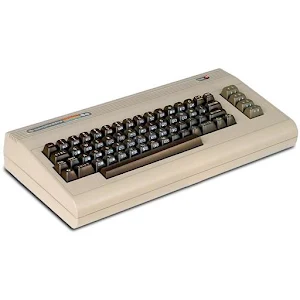
Frodo 64 is one of only a few Commodore 64 emulators. It seems to work rather well. However, it takes a bit of tinkering to get it work right. The emulator is open source. It is also a port of the PC version. We can't stress enough that you're going to have a bad time with this one at first. Keep at it, though, because it's an excellent Commodore 64 emulator when you figure out how it works.
DOWNLOAD ON GOOGLE PLAY
Frodo C64

John emulators

Price: Free / $2.99 each
DOWNLOAD ON GOOGLE PLAY
John emulators is a developer on Google Play. He does a few really good emulators. They include apps for SNES, NES, Game Boy Advance, and Game Boy Color. Each one is considered among the best in its console categories. They're rock solid with good ROM support, the basic features, and some extra fun stuff like cheat codes and fast forward mode. All of them have free versions with pro version that cost $2.99 each.
DOWNLOAD ON GOOGLE PLAY
John emulators

MegaN64

Price: Free
DOWNLOAD ON GOOGLE PLAY
MegaN64 is one of the more stable N64 emulators. It uses the open source code from Mupen64. Considering that Mupen64 is basically the only open source N64 emulator, the experience doesn't get much better than it. MegaN64 takes the base and adds a bit of optimization for performance and certain devices. We recommend Mupen64 over this one unless it doesn't work on your device. Updates in 2018 seemed to make this app a data hog. We recommend using your device's data restriction service (usually under the App settings or Data settings in your settings menu) to prevent it from accessing your data. It should work fine after that.
DOWNLOAD ON GOOGLE PLAY
MegaN64

MyBoy and My OldBoy

Price: Free / $3.99-$4.99
DOWNLOAD ON GOOGLE PLAY
MyBoy and My OldBoy are emulators for Game Boy Advance and Game Boy, respectively. They are among the best in their respective categories with tons of features. Some of the features include save/load states, fast forward mode, cheat codes, syncing save files with Google Drive, and more. They also do a really good job at emulating games. The free versions come with some features stripped out. The paid versions have all of the features.
DOWNLOAD ON GOOGLE PLAY
MyBoy and My OldBoy


Nostalgia emulators

Price: Free / $1.49-$3.99
DOWNLOAD ON GOOGLE PLAY
Nostalgia emulators is a developer on Google Play. They do three popular emulators for Game Boy Color, NES, and Game Gear. All of them feature customizable virtual controllers, save/load states, hardware gamepad support, and various features specific to the various game consoles. There is even a WiFi controller mode if you have an extra phone. They're also fairly inexpensive. The most expensive is $3.99 for the NES emulator. The others are less than $2 each.
DOWNLOAD ON GOOGLE PLAY

PPSSPP

Price: Free / $4.49
DOWNLOAD ON GOOGLE PLAY
PPSSPP is, without question, the best PSP emulator on the market. It features the best stability, best ROM support, and best features of any of the other PSP emulators. Additionally, the emulator includes the usual array of features for an emulator. It is still a work in progress. Some games may not play at full speed, even on the latest devices. However, it's definitely good enough for most things. You can try it free before buying the pro version.
DOWNLOAD ON GOOGLE PLAY

RetroArch

Price: Free
DOWNLOAD ON GOOGLE PLAY
RetroArch is one of the most unique emulators. It has the capacity to emulate a bunch of different consoles. The app itself is the emulator. People download cores that run inside of the app. Each core is a different console. It's a bit difficult to learn at first. However, most of the emulator cores work extremely well. This is a great option for those who like to emulate multiple consoles without wanting to download a bunch of apps. It's also completely free, packed with features, and more.
DOWNLOAD ON GOOGLE PLAY

Robert Broglia emulators

Price: Free / $2.99-$7.99 each
DOWNLOAD ON GOOGLE PLAY
Robert Broglia is a developer on Google Play. He has some of the most popular and stable emulators on mobile. The consoles supported are SNES, Game Boy Advance, Game Boy Color, NES, Commodore 64, Sega CD, Master Drive, Neogeo, Atari 2600, MSX, NeoGeo Pocket, TG16, and others. Yes, that's quite a long list. The Commodore 64 emulator is probably the best in its class and the rest are definitely right up there. Each one has a free version to try with a pro version that unlocks all of the features. They all also have all of the basic features you'd expect in an emulator with some console-specific features as well.
DOWNLOAD ON GOOGLE PLAY
Robert Broglia emulators

SuperRetro16

Price: Free / $3.99
DOWNLOAD ON GOOGLE PLAY
SuperRetro16 is one of the most popular SNES emulators. It underwent a number of name changes over the years. However, it's remained reliable. It works for virtually every SNES ROM that we know about. There are also a ton of features, including variable speed fast forward, cloud saving, cloud game storage, and a bunch of graphics and audio settings. This is as feature packed as emulators get. You can try it out for free before buying it.
DOWNLOAD ON GOOGLE PLAY

5 best PlayStation emulators for Android

5 best N64 emulators for Android

If we missed any of the best emulators for Android, tell us about them in the comments! You can also click here to check out our latest Android app and game lists!


from Android Authority https://ift.tt/2kJToJA