Saturday, 29 February 2020

We asked, you told us: Most of you care what your phone looks like and that’s OK https://ift.tt/38gw3mF

Samsung Galaxy S20 Ultra right rear profile 1

Last week Galaxy S20 reviews started rolling in, which prompted me to ask you how you feel about phone design.

I happen to care a lot about the way my phone looks. I want it to look somewhat unique and simple, but not too cookie-cutter, you know? I’m sure you’ve heard me say this before, but I really like the Pixel 4’s design. It fits my criteria for good phone design.

I also can’t really get over how boring the Galaxy S20 lineup looks. So, I asked you how important phone design is to you when choosing a new smartphone.

How much does phone design matter to you?

Results

38% of Android Authority readers care a lot about what their phone looks like. It needs to look and feel premium for those voters to even consider buying it. 48% of voters said design is important, but it’s not the most important factor to consider. That means a total of 86% of readers care at least somewhat about what their phone looks like. I don’t blame them — I certainly want my phones to look nice, but I tend to prioritize software and battery life over design.

Finally, just 14% of voters said they don’t really care at all about what their phone looks like.

More posts about Samsung Galaxy S20

Here’s what you had to say

Here are some of the best comments from last week’s poll explaining why they voted the way that they did:

  • Bonedatt: I don’t use a case (I’m aware of the risk), because I want to enjoy the design of my device. I’ll slap a skin on it to aid with grip if the device is slippery. On another Note, 😉 I’ll deal with a poorly designed phone (my Note9 in this case), if it offers the functionality that I need. So yea, design is important but function is more important.
  • Painfully_Candid: I think it’s funny that a lot of people who love the S20 Ultra also complained about the “big camera bump” on the Lumia 1020.
  • White Razor: I’d say if on a scale 0 is design and 10 is functionality, I’d sit at about 8.5.The back of the S20 to me looks ugly but hey I’d take that if it’s the best smartphone camera on the market. For example, I’d put that on the back of the Pixel 2 XL design, have the latest specs and Android version and that’ll currently be my ideal phone.
  • White Razor: It’s interesting when you think about this, and in a way it’s how Apple basically win their reputation. They don’t necessarily have all the functions but they try to push the design to the top, including what is not even necessary. Since their device works they basically have something they can charge a heap for and it makes people want it.As soon as a manufacturer tries to save the consumer money people see it as a flaw or “cutting corners”. You can save say 30% by buying a plastic phone… but then it’s a “cheap plastic device”, as an example. They basically make people feel good with their device, despite the list of reasons to also not need to spend that much money.I’m glad we have Android and I cannot see myself going away from it. The functionality wins me over too easily over design… but hey, I understand there are a heap of people out there who simply do not care.
  • Avieshek: I wouldn’t really say look but feel of the phone. Like phones are aiming towards more than 90% of screen-to-body ratio and that’s the ultimate goal, what are you supposed to look at – the back?
    But the feel of the phone – like when the iPhone X was first released back in 2017 is still pristine with the Stainless Chrome Steel, White Transparent Glass with maintaining equilibrium & symmetry as much can be (like thicker borders as opposed to having a chin) to the size of the phone that’s so Universal with thickness that snuggles in your palm etc. Imagine all that again but in the size of Samsung’s S20 Ultra’s ~7″ screen – then all the good points points transforms to bad points.
    Just a Glass-Metal Sandwich is more of an excuse for marketing premiumness and not necessarily the best feel as the A-series to many Chinese Phones but S10e on the other hand feels comfortable. This is something, that doesn’t necessarily affect function – like you can house a bigger battery or look at Sony that releasing a phone without a Notch is possible etcThis is the reason I can’t understand the weirdos at Samsung looking foldables as the future for phones or double Punch-hole in a S10+ is more desired & therefore premium.
  • Whatever5000: Function over form anytime, it makes you want to use it more, it’s not a fashion item.
    Note 10 Plus is my favourite *design* of phones up until now, sleek, simple, usable… Ok a few imperfections like the punch hole but nothing I can’t live with.
  • KRB: I mean we don’t want an out and out ugly looking phone, but considering how much money we spend on our device many of us put a case of one sort or another on it to protect it. So does looks really matter – glass, plastic, metal, color, whatever else – if all I’m gonna do is cover it up with some silicone case?
  • MatteBlack: Not much. But I think the Note 9 is peak smartphone design (minus the curved display)z Just enough bezel. The all screen is meh.
  • Ghost of Dixie: I don’t care about the design of my phone as long as it doesn’t have a notch/holepunch camera.

That’s it for this week. As always, thanks for voting, thanks for the comments, and don’t forget to let us know what you thought of the results below!


from Android Authority https://ift.tt/384nE5y

Deal: Organize your files in the cloud with Rethink https://ift.tt/377ZG9F

Rethink Files 2TB Cloud Storage and Organization

Many of us have files all over the place and no easy way to manage and store them all. Today’s deal can help, as you can pick up 2TB of cloud storage from Rethink Files for just $0.41 per month and secure everything together in the cloud.

Rethink Files is more than just a storage space; it’s a hub for all your file types. You can manage everything from your Dropbox and pCloud contents to your Outlook emails or Slack chats and browse it all quickly. You get rich previews of hundreds of document types.

Keep everything in sync.

You can stay on top of files across many apps, keep track of files you send and receive, and keep everything in sync.

Whether you’re a film junkie or an audiophile, 2TB of Rethink cloud storage should be more than enough space for everything you want. All your important files and documents are secured with AES 256-bit encryption.

Rethink Files at a glance:

  • Get 2TB of secure AES 256-bit encrypted storage for any file.
  • Keep track of the files you send and receive.
  • Access files from all of your apps.
  • Get rich previews for over 100 different file types.

A subscription to Rethink Files is usually $15 per month. However, this deal offers you the 10-year plan for just $49, which equates to just $0.41 per month.

The deal is only temporary, so find out how easy your file management can be via the widget below.

$49 .00
Rethink Files 2TB cloud storage 10-year plan
Save $3069 .00
Buy it Now
Rethink Files 2TB cloud storage 10-year plan Buy it Now
Save $3069 .00 $49 .00

Is this deal not quite right for you? To see all our hottest deals, head over to the DEALS HUB.


from Android Authority https://ift.tt/2VtEBnk

5 Android apps you shouldn’t miss this week! – Android Apps Weekly [307] https://ift.tt/2PBfBqk

Android Apps Weekly Dragon Quest of the Stars
Welcome to the 307th edition of Android Apps Weekly! Here are the big headlines from the last week:


LEGO Legacy: Heroes Unboxed

Price: Free to play

LEGO Legacy: Heroes Unboxed is the latest LEGO game. However, this one is by Gameloft instead of LEGO. This one is a gacha style RPG with a variety of themes from various LEGO sets and properties. It is a free to play game with the usual free to play pitfalls, including an energy system and high upgrade costs. It’s fun for the first 20 or 30 levels or so and then things slow down to the usual free to play grind. However, you can bypass all of the pay-to-win elements with a little effort and patience.


Autosync

Price: Free / $6.99+

Autosync is a neat app. It lets you sync with your cloud storage of choice on a regular basis. For example, if you want to keep a specific Google Drive folder on your phone and the cloud and also keep them synced at all times, this app does that. It works with a variety of cloud storage services, including OneDrive, Google Drive, MEGA, Box, Yandex Disk, pCloud, SharePoint ONline, and others. The developer has individual apps for each service already, but this is more of an all-in-one app. It’s in open beta so expect bugs. The app is free to try for 14 days and includes single $6.99 purchases (not subscriptions) for each cloud storage service you intend on using.

Autosync screenshot


Love Live! All Stars

Price: Free to play

Love Live! All Stars is a free to play game about the idol anime. It’s a rhythm game with RPG elements. Players perform songs to advance the story and level up your characters. It’s a cutesy game and it should appease fans of the show. The game’s story and RPG elements are a bit shallow. This one is all about collecting various outfits and other customizations for your character. It’s fun and something a little different. Of course, do beware of those free to play mechanics.


AppNotifier

Price: Free

AppNotifier is a replacement for an old Google Play feature that some people don’t have anymore. It shows a notification each time an app is newly installed or updated on the Play Store. It also works for side-loaded applications. Additionally, it uses app data from your phone and not Google Play so the name of the app in the notification may be different. For instance, Allrecipes Dinner Spinner may just be Dinner Spinner in the app. In any case, this super simple (albeit niche) app does just one thing and it does it admirably.

AppNotifier screenshot


Dragon Quest of the Stars

Price: Free to play

Dragon Quest of the Stars is a new free to play game from Square Enix. It follows the Dragon Quest universe the same way the company’s Final Fantasy free to play games follow Final Fantasy. The game features a simple UI, colorful graphics, and a decent soundtrack. You basically unlock various characters and weapons to do battle against bad guys. Those who enjoyed games like Final Fantasy Record Keeper or Star Ocean Anamnesis may also like this title.


More posts about Android apps and games!

If we missed any big Android apps or games news or releases, tell us about it in the comments!


from Android Authority https://ift.tt/39hwxKA

Refresh rate explained: What does 60Hz, 90Hz, or 120Hz mean? https://ift.tt/3990Kve

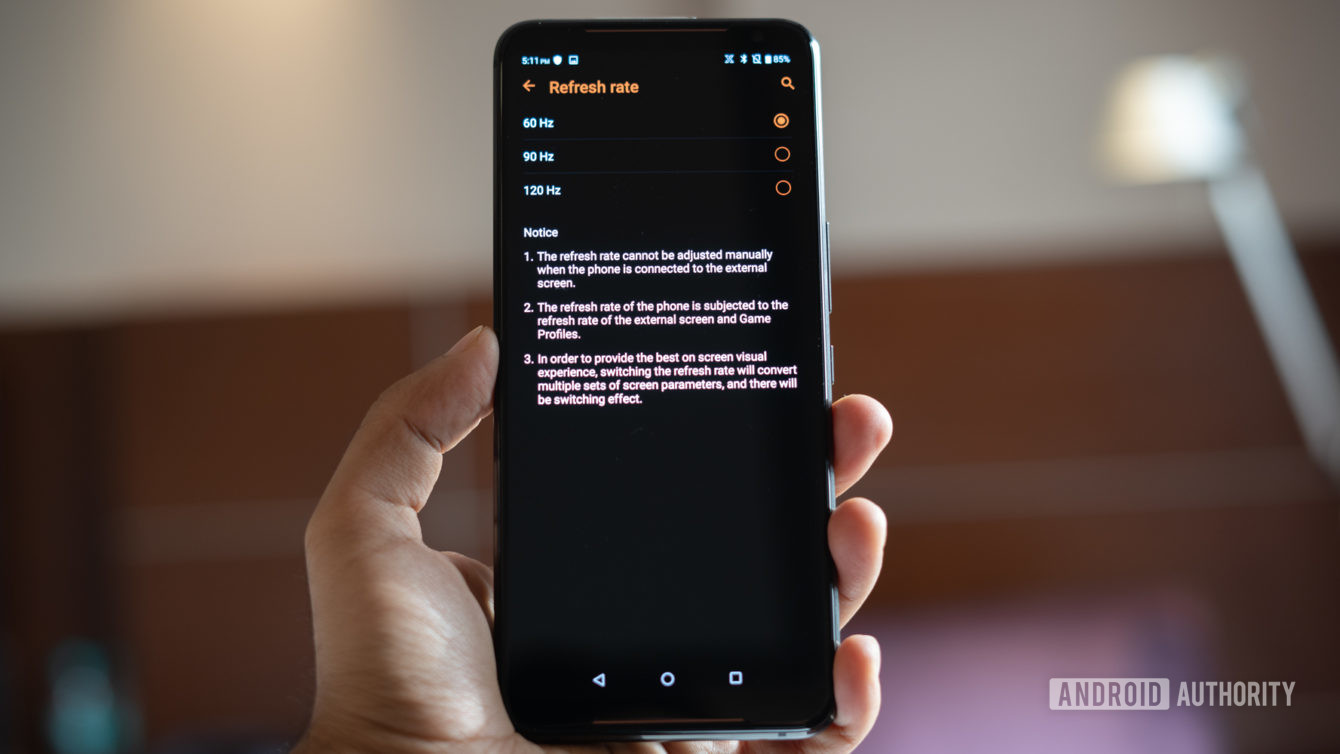
Asus ROG Phone 2 screen refresh rate switch

High-end smartphones increasingly boast blazing-fast 90Hz and even 120Hz refresh rate displays. This sounds great on paper. It’s yet another way that smartphones attempt to differentiate themselves from one another. But should you buy a phone because of this latest display tech trend? It honestly depends.

The benefits of high refresh rate phones and even how they work is rarely well understood. While games and content can look a lot smoother, whether it’s worth the extra battery consumption depends a lot on the user and the handset. With that in mind, here’s everything you need to know about display refresh rates.

Opinion: Here’s why I think the refresh rate wars are dumb

What is refresh rate?

Displays aren’t static. Content and motion appears smooth on your phone’s screen because every pixel updates to display the latest content from your handset’s processor. But this doesn’t happen randomly. Panels update their content at regular intervals, known as the refresh rate.

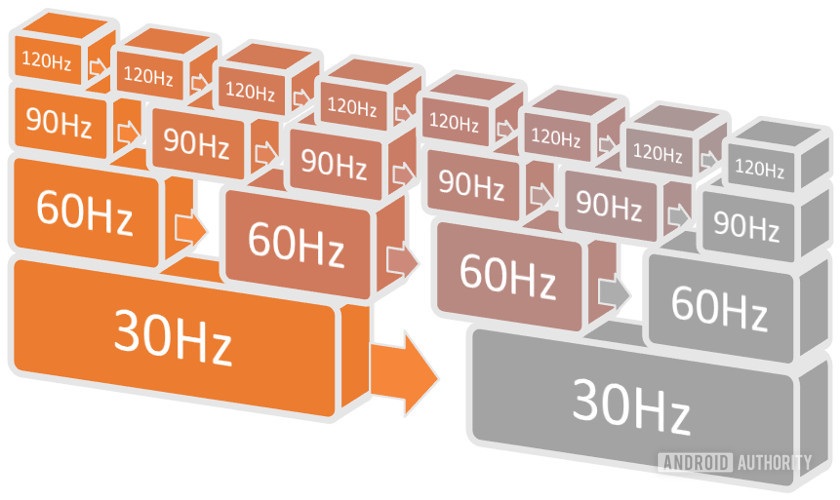
The refresh rate measures how quickly the phone’s display updates. In other words, how often and quickly the content on the screen refreshes. Measured in Hertz (Hz), the refresh rate counts the number of times the display refreshes every second it is on. A 60Hz display refreshes 60 times per second, 90Hz is 90 times per second, and 120Hz is 120 times per second. So a 120Hz display refreshes twice as fast as a 60Hz panel, and 4x faster than an old 30Hz TV.

Refresh Rates Compared

120Hz refreshes four times faster than 30Hz and two times quicker than 60Hz, producing smoother motion and transitions.

Faster update times also mean lower latency, because the pixels are being refreshed more often. For example, it takes 16.6 ms to fully refresh a 60Hz display, 11.1ms for 90Hz, and just 8.3ms for a 120Hz rate. Refresh rate isn’t the only factor in round-trip display latency, but it’s the largest contributor.

Your smartphone’s screen doesn’t refresh all at once each cycle though. Instead, each horizontal row of pixels refreshes in turn until the whole display updates at the required rate. You can see this in action if you film a display in slow motion and it’s the reason why displays flicker if you view them through your smartphone camera’s viewfinder. In other words, your display is constantly updating and refreshing, but it takes the cycle time to complete one full refresh.

If you’re interested in seeing how frame rates affect smoothness and motion blur yourself, check out this demo.

A quick note on touch sample rate, a related but different metric. Also measured in Hz, the sample rate tells you how many times per second the touchscreen looks for input from the user’s finger. A higher touch sample rate means less lag between input (touch or swipe) and action, which is especially important for fast-paced games.

What 60Hz, 90Hz, and 120Hz means for my phone

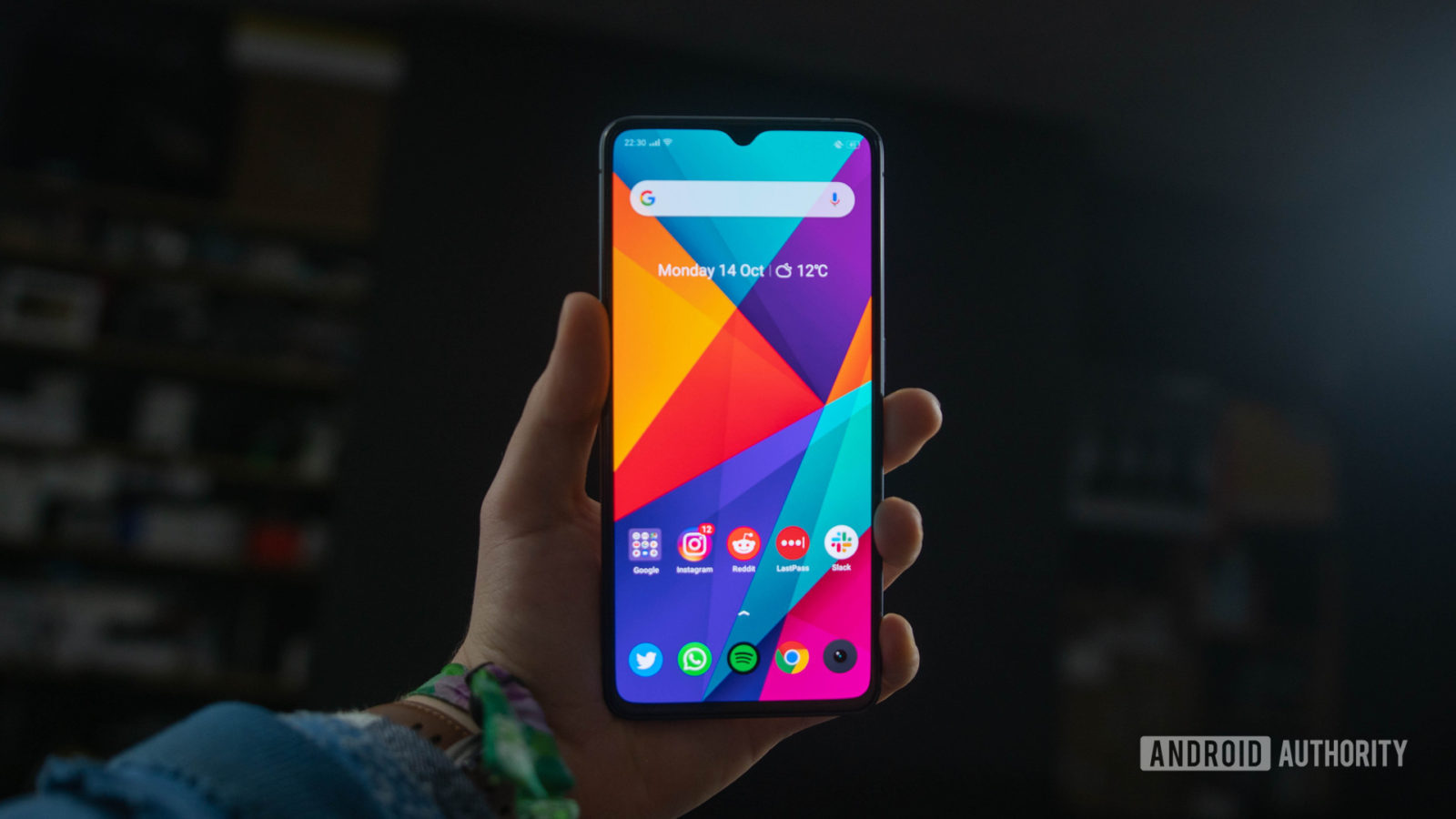
Realme X2 Pro display refresh rate page

Higher refresh rate displays make moving content look and feel smoother and snappier. Although most content, such as swiping through your emails and interacting with Facebook’s UI don’t really benefit from anything above the standard 60Hz rate. Remember, lots of video content plays back at the industry standard 24 frames per second, or 24Hz. Yet apps and content with lots of graphical motion appear smoother with a higher refresh rate display.

Faster displays make the most noticeable difference when it comes to gaming. Higher frame rates and faster display response times can have a noticeable impact because visual latency is lower and gameplay appears smoother. PC gamers regularly swear by 120Hz and even 144Hz displays. Now mobile gamers can benefit too, albeit on a much smaller screen. However, high frame rate gaming requires a beefy, energy-hungry processor too. This ensures that the graphics frame rate keeps up with the high display refresh rate.

Unfortunately, the tradeoff with 90Hz and above displays is substantially reduced battery life.  During our test on the OnePlus 7 Pro, we noted 200 fewer minutes of browsing time when using the 90Hz mode versus the more standard 60Hz. In some cases, that battery tradeoff is simply not worth it — for instance, with the Google Pixel 4 already suffering from questionable battery life, we recommend disabling the 90Hz mode to ensure a good day’s worth of use.


Related video: Does 90Hz really matter?


Should I get a high refresh rate phone?

90Hz and 120Hz displays are increasingly popular in modern smartphones, particularly in the premium market. The feature is also increasingly available in affordable mid-tier handsets as well.

That said, refresh rate is a small part of a smartphone’s display specifications. It’s certainly not a major enough feature to base your entire purchase on. Ultimately, aspects like color gamut, contrast, white temperature, and resolution have an equally large impact on the quality of your phone’s screen.

If you really have your heart set on a higher refresh rate, here are just a few of the best phones rocking 90Hz or 120Hz displays:

More posts about Displays


from Android Authority https://ift.tt/2Pyo0ea

Deal: Learn Linux administration to level up your career https://ift.tt/3amNlk6

Learn Linux

Do you want to become a vital cog in the IT machine? That’s exactly what Linux administrators are — they keep companies’ computer networks up and running. And these efforts don’t go unrewarded.

You can learn how to get into this profession with Learn Linux Administration and Supercharge Your Career. We’re spotlighting this learning kit today because right now it’s 90% off over at Tech Deals, making it the ideal time to launch your tech career.

Senior Linux administrators can command six-figure salaries.

This hands-on learning kit can take you from beginner to pro in Linux administration. You’ll explore nine hours of video tuition that covers many aspects of the system. If you’re a true beginner, you can start with the boot process and learn how to manage messages. However, if you already have some experience then you can skip to some of the more advanced content.

Learning to love Linux means mastering the art of servers. Not only will you dive into disk management in these lectures, but you can also perfect your permissions. It might not be the most glamorous of career switches, but senior Linux administrators can command six-figure salaries, so few would be complaining.

The Linux learning kit at a glance:

  • Explore the boot process on servers and how to control it.
  • Learn the various types of messages generated by a system and how to manage them.
  • Master disk management and file system creation.
  • Understand how permissions work and how to decipher them.
  • Configure network interfaces.

The Learn Linux Administration and Supercharge Your Career course has a retail value of $199 but you can save 90% right now. You can pick up the whole learning kit for just $19 and get ready to revamp your career.

This deal may not be around for long, so to learn more — and possibly earn more — check out the deal via the widget below.

$19 .00
Learn Linux Administration and Supercharge Your Career
Save $180 .00
Buy it Now
Learn Linux Administration and Supercharge Your Career Buy it Now
Save $180 .00 $19 .00

Is this deal not quite right for you? To see all our hottest deals, head over to the DEALS HUB.


from Android Authority https://ift.tt/2vugqKG

Why are phones still shipping with terrible wired charging speeds? https://ift.tt/39aaa9R

Purple USB cable

Some phones charge fast, others charge slowly. This can be an irritating reality of the modern smartphone world, particularly when handsets are increasingly packing in larger and larger battery capacities. Fast charging and all-day battery life certainly seem doable, yet relatively few smartphones offer these capabilities and slow wired charging is still a problem with many modern devices.

The Realme 5, for instance, is also stuck with just 10W charging. Even the new LG V60 is using 18W charging in Quick Charge mode. That’s quite pathetic compared to the 40, 50, and even 65W charging solutions from Chinese rivals like Huawei, Oppo, and Xiaomi.

Why is it that handsets popular in the West, such as those from Samsung and LG are stuck with slower charging speeds than their Chinese counterparts? Before diving in, here’s a quick overview of the charging power offered by recent handsets.

  Rated Power (Watts)
Asus Zenfone 6 18W
LG V60 18W
Sony Xperia 1 II 21W
Samsung Galaxy S20 25W
Samsung Galaxy S20 Ultra 25W (45W supported)
Xiaomi Mi 10 Pro 30W
Huawei Mate 30 Pro 40W
Oppo Reno Ace 65W

Cost and complexity

By default, USB-C devices only support 7.5W of charging power. All but the very cheapest phones support faster charging, with 15W being the typical minimum you’ll find in a phone right now.

One reason why some phones don’t charge quickly is the cost and complexity to implement fast charging circuitry. Fast charging doesn’t come cheap. Handsets require specific chips to handle power handshake communication, transistors to switch current to the batteries, and, of course, quality batteries that can handle fast charging. The faster you want to charge up, the higher quality these components need to be. Not forgetting that these components also require extra engineering know-how and development time, which lower-cost OEMs may not be willing to invest.

It’s not just cost and complexity on the smartphone side that matters. High-wattage chargers also require high-quality components that can dissipate large amounts of heat. Hence why Samsung charges extra for its 45W Galaxy S20 Ultra charger. Powerful chargers are historically large and bulky. Although, advances like GaN technology are helping make these chargers more common and compact.

However, this defense doesn’t stand up to much scrutiny in upper mid-tier and flagship smartphones. Reasonably fast charging components easily fit into the bill of material budgets for handsets above $600. So are there any other reasons that some phones are faster than others?

Ubiquity vs proprietary

Tommox third party fast chargers USB PD

The fastest charging phones on the market all make use of proprietary technology. That’s all well and good, but only if you have the phone’s original charger handy and possibly the correct cable too. We spotted that the Google Pixel 4 won’t charge at all when using non-compliant USB-C cables. Even if you’re not a Pixel owner, you may require cables capable of handling 3A and even 5A for some proprietary charging standards.

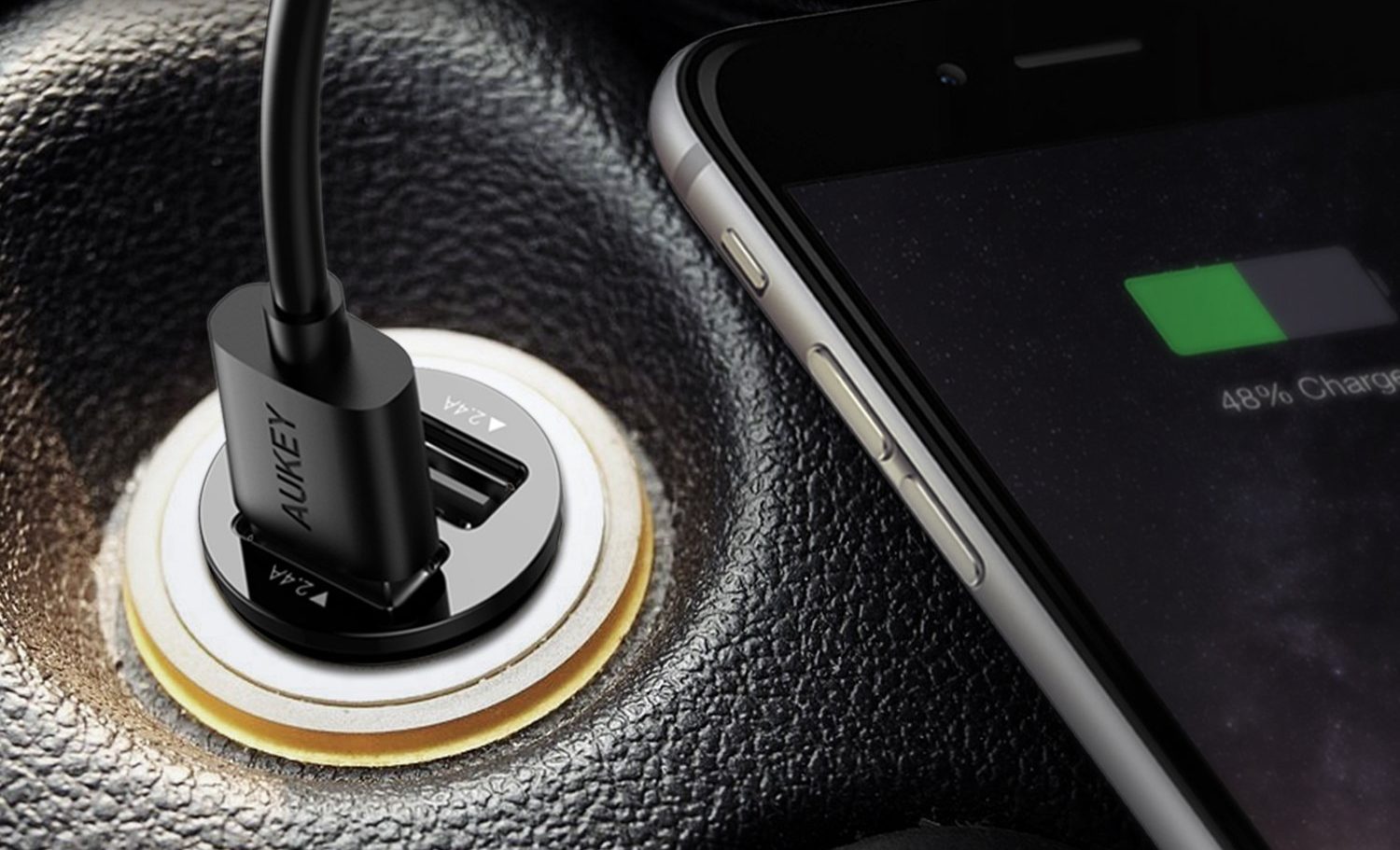
An increasing percentage of third party accessories support Qualcomm’s Quick Charge or USB Power Delivery specifications. If you want a phone to fast charge with as many power banks, car chargers, and other plugs as possible, you’re best off adopting one of these two standards. With that in mind, many OEMs don’t bother investing in an expensive proprietary solution.

See also: Android smartphones with the best battery life

Major OEMs like LG, Motorola, and others, adopted Qualcomm’s Quick Charge a number of years ago before USB-C and USB PD were a thing. Some of these OEMs retain that close partnership with Qualcomm, possibly for convenience, cost, contractual agreements, or perhaps just familiarity. The latest Quick Charge 4.0+ version offers 18W charging with Quick Charge products, and up to 27W when connected to a USB PD charger. Its charging speeds are a little dated, but some OEMs remain committed to the old ways.

The newer USB Power Delivery spec supports charging speeds up to 45W, and even more for laptops. Phone and accessory manufacturers are increasingly adopting this standard too, meaning it will hopefully soon be the default. Although it’s not the fastest, USB PD is more than powerful enough and has growing support in the wider tech industry.

Making sure batteries last a long time

standby battery usage

The final reason why some companies may not want to push fast charging speeds beyond 30W is due to the impact of fast charging on battery capacity and longevity. If a manufacturer wants to ensure a phone works well for two or three years, slightly slower charging speeds help.

Estimates from Xiaomi’s 100W fast charging testing suggest that moving from 30W USB Power Delivery to its 100W solution reduces battery capacity by around 20%. So a nominally 5,000mAh battery only has a capacity of 4,000mAh, which is clearly not a great trade-off for most devices. This is known as charging-induced degradation. This happens gradually over time and all batteries suffer eventual degradation, but 100W charging sees capacity fall further and faster than 30W.

Furthermore, charging with more power produces more heat. As we know from previous discussions, heat is enemy number one for battery health. Although charging for faster means less time for heat to build up, so it’s hard to say exactly how much of an issue this is.

The bottom line is that high power charging puts more strain on phone batteries. Battery material innovations and larger capacities are combating this trade-off, but they come at an increased cost.

Why this all matters

There are several reasons, some good and some bad, as to why handsets offer faster charging than others. Besides costs, the biggest discrepancy comes about from those who augment the common QC and USB PD standards with even faster proprietary technology.

However, there are some manufacturers who are still lagging behind the latest technology. Phones offering less than 20W charging, particularly in the high-end market, are inexcusable in 2020. It’s probably best to avoid them, unless your usage patterns make the point moot, i.e. you never need fast charging.

While very high wattage charging sounds tempting, it’s definitely not worth basing a purchase around. Furthermore, very high wattage, like 65W and above, arguably aren’t worth the hit to battery health. Instead, check for USB Power Delivery support in your next purchase. It’s the increasingly popular global standard supported by a wide range of devices and accessories. The approximately 25-45W available from this standard is fast enough. Fortunately, most mid-tier and premium smartphones now support USB PD.

More posts about batteries


from Android Authority https://ift.tt/2vfzQDf